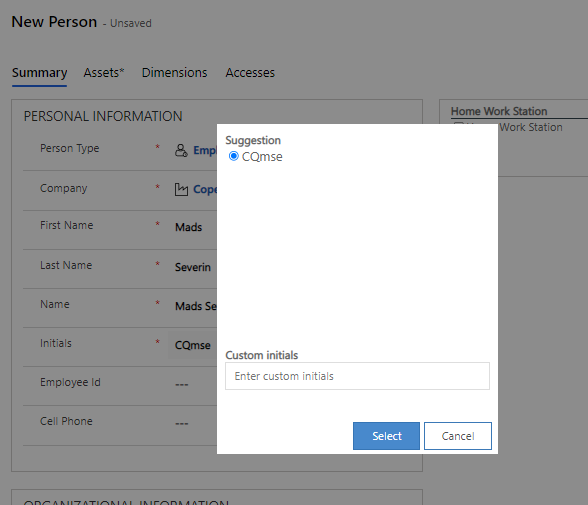
Initials Suggestion Definition
You can find the entity "Initials Suggestions Definition" under the heading "Other" in the sub-area "Configuration" of Compliance Suite.
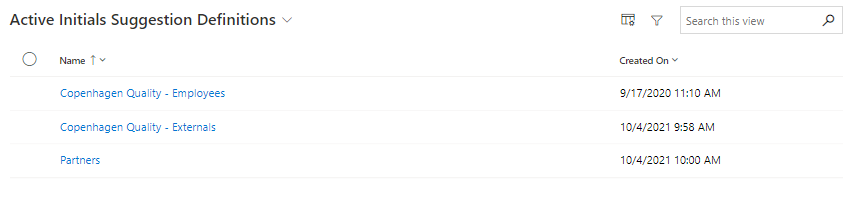
Here, you will have the opportunity to define the framework for the initials suggestions presented in Compliance Suite when creating new persons in your organization. You can create multiple initials suggestion definitions and filter them by "Company" and "Person Type".
This means that you have the option to manage different Initials Suggestions Definitions for different companies and person types, so that the initials can be best adapted to your organization’s specific needs and practices.
How to create a new Initials Suggestion Definition
To create a new initials suggestion definition, click "New" in the menu bar.
You fill in the fields as follows:
| Field Name | Type | Description |
|---|---|---|
Name |
Text |
Name of Initial Definition Sugestion |
Custom ID |
Text |
Custom ID for the definition |
Category |
Look-Up |
General category of to be used across the platform. |
Description |
Multiline text field |
Longer description, explaining what the definition is used for. |
Initials Suggestions |
Entity |
Shows suggestions placed on the definition |
You may add more initials suggestion definitions by clicking on "New Initials Suggestion".
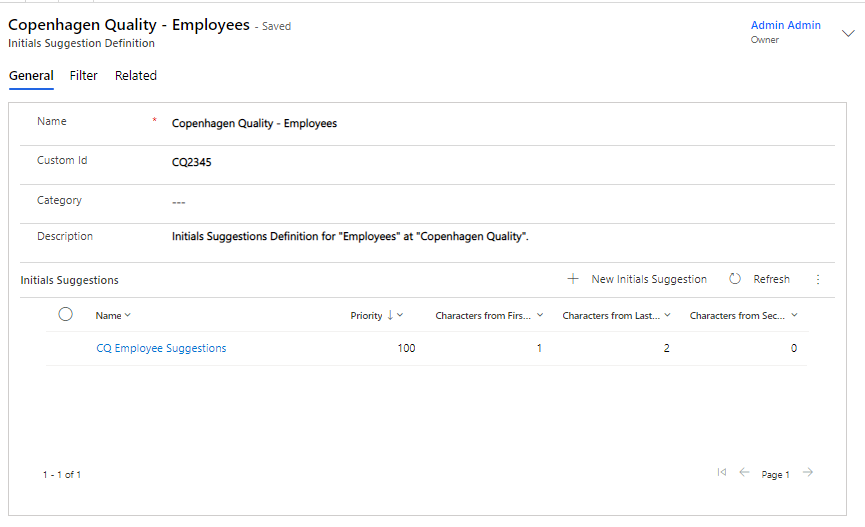
How to fill out the fields:
| Field name | Type | Description |
|---|---|---|
Name |
Text |
Initial Definition Suggestion name |
Initials Suggestion |
Look-Up |
Refers to the overlying definition for the suggestion/suggestions. |
Priority |
Text |
Highest number = highest priority |
Characters from First Name |
Number |
Indicate the amount of characters (0-100), you prefer for the first name. |
Characters from Second First Name |
Number |
Indicate the amount of characters (0-100), you prefer for the second first name (If applicable) |
Characters from Last Name |
Number |
Indicate the amount of characters (0-100), you prefer for the last name. |
How to filter your Initials Suggestion Definition
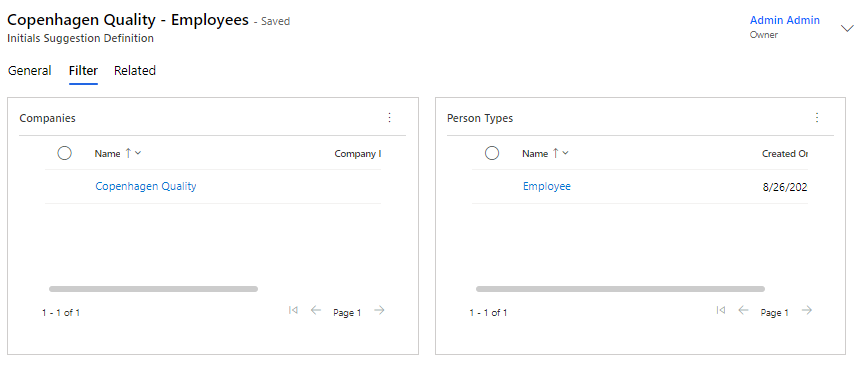
You filter your initials suggestion definition on the "Filters" tab page. This allows you to manage who is presented with the initials suggestions that are generated from your definition.
If you create multiple initials suggestions within the same definition, the suggestion with the highest priority will take precedence.
| In order to create initials for persons being imported through the inbound connector, you also have to define a filter either for Companies or Person Types. |
In practice, your initials suggestion definitions will define which initials options are presented when creating new persons in your organization: