
HR Board
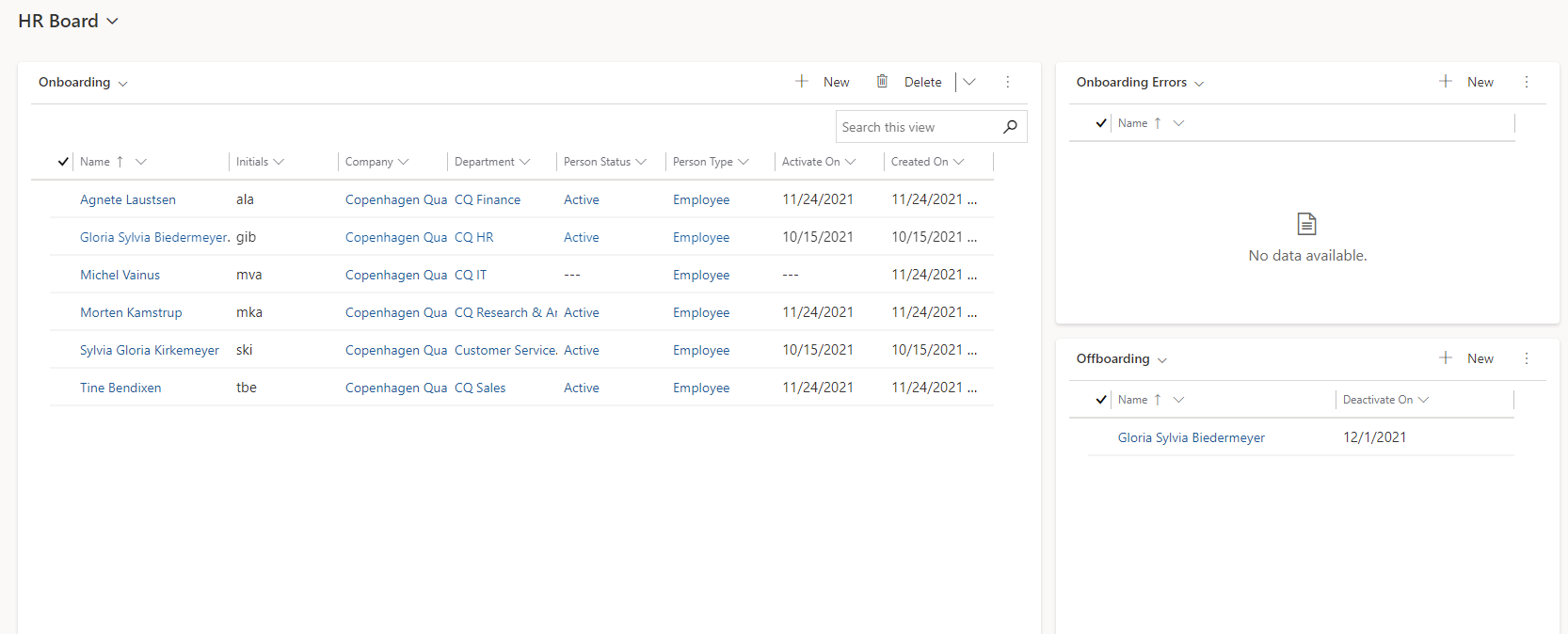
HR Board is used to get an overview of persons created recently, as well as persons with a specified expiry date who will soon change person status. New persons are also displayed where master data could not be imported correctly from an external system.
The following information is displayed:
-
Onboarding shows persons created in the last 45 days or who have an Activate On date that is within 45 days in the future or within the last 45 days.
-
Active Persons (when switching view to Onboarding) shows all active persons.
-
Onboarding Errors shows the same persons as Onboarding but only where the Conflict flag is set - one or more master data could not be imported correctly from an external system (shown in the History Log of the person concerned).
-
Offboarding shows persons who have a planned change of Person Status within the next 45 days or who have completed a planned change of Person Status in the last 31 days.
Functionality:
-
A person can be searched in Onboarding or Active Persons.
-
A new person can be created by pressing "+New".
The following Dynamics 365 users have access to this board:
-
Users with one of the Dynamics 365 roles CCS HR, CCS HR Modify, CCS Service Desk, CCS Administrator or CCS Auditor. CCS Auditor cannot create, edit or delete data.