
Example project
This page contains a simple Maven Java Project showing how the Java API for Cryptshare can be used.
|
Java API Version 5.0.1
Please note, that the Maven setup is configured to use the API version 5.0.1. Make sure you have the corresponding API version installed in the used repository. |
|
Error Messages
If you encounter problems during compilation or running the project, then you can find some hints regarding optionally missing libraries here: Java 9+ support. |
How to import the project to your favorite IDE
IntelliJ
-
Download the project zip from this page and unpack it to your workspace.
-
In IntelliJ select 'File' → 'New' → 'Project from Existing Sources'
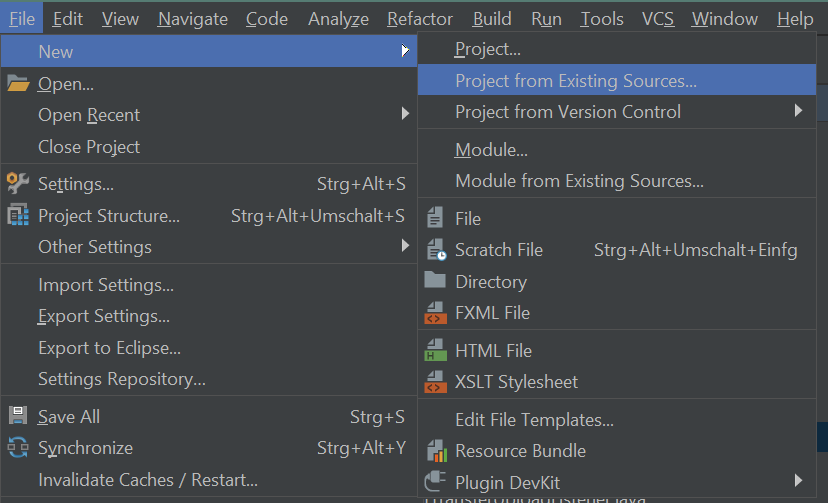
-
In the next dialog select the example-project directory.
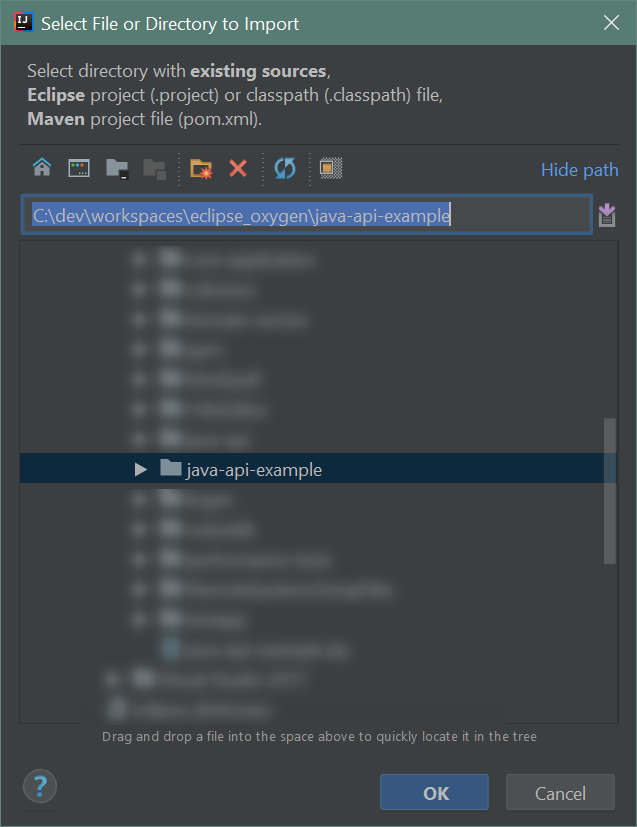
-
In the next dialog select 'Import project from external model' and 'Maven'.
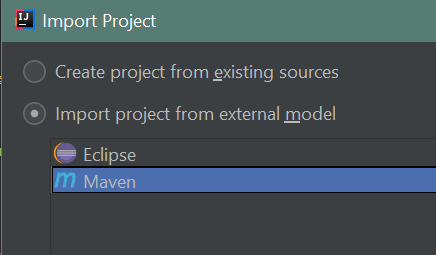
-
Follow the remaining steps of the wizard by clicking 'Next'.
Eclipse
-
Download the project zip from this page and unpack it to your workspace.
-
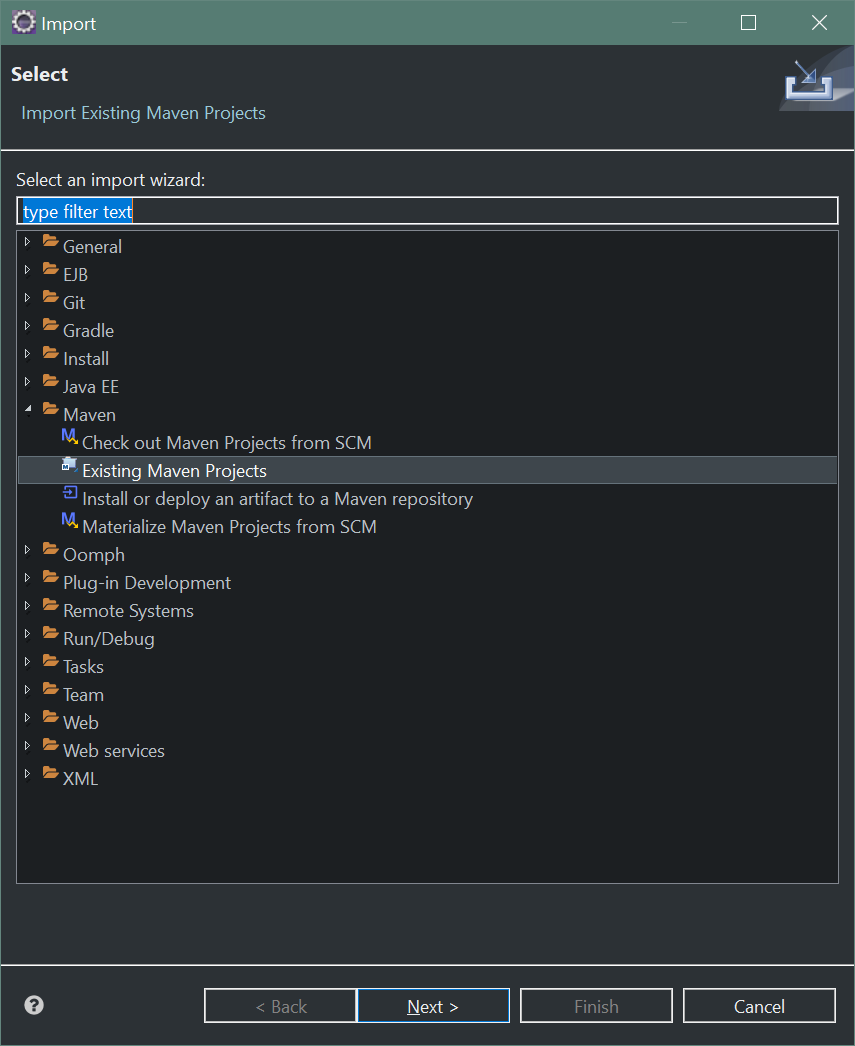
In Eclipse, select 'File' → 'Import'
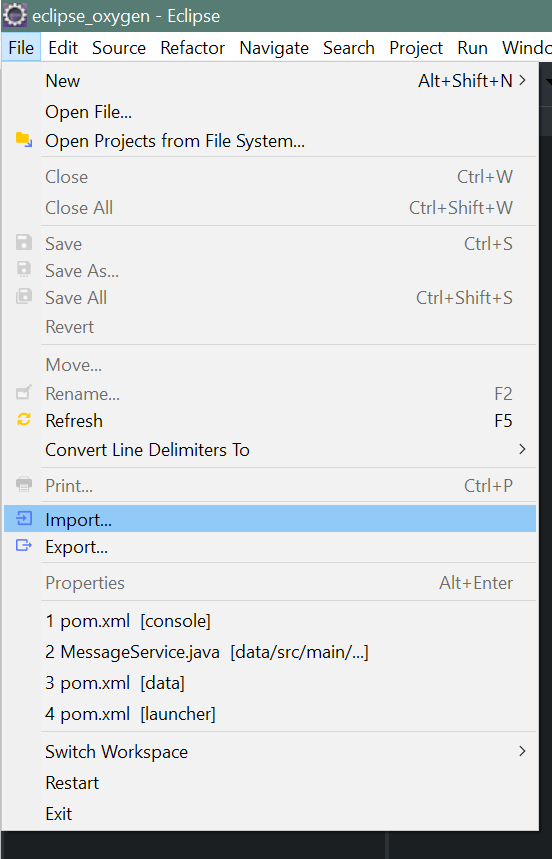
-
Select 'Existing Maven Projects'
-
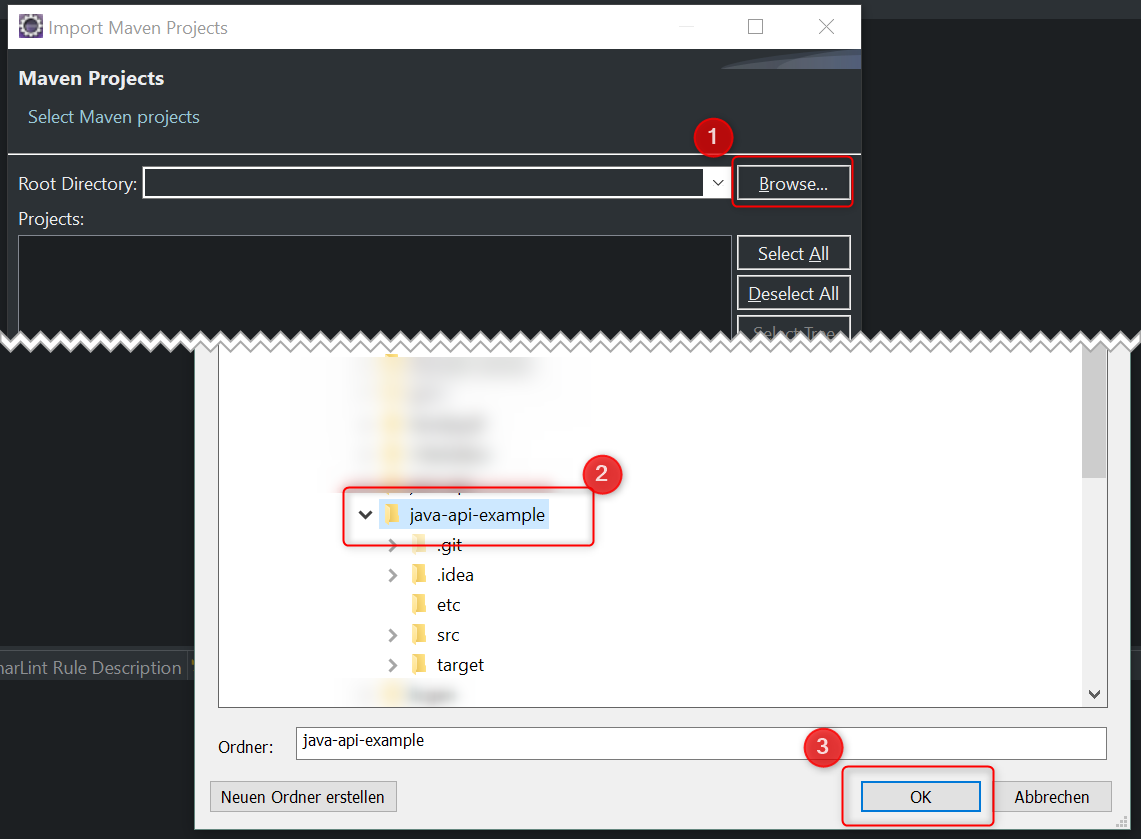
Click 'Browse', select the project directory and click 'OK'.
-
Click 'Finish'