
Version information and diagnostics
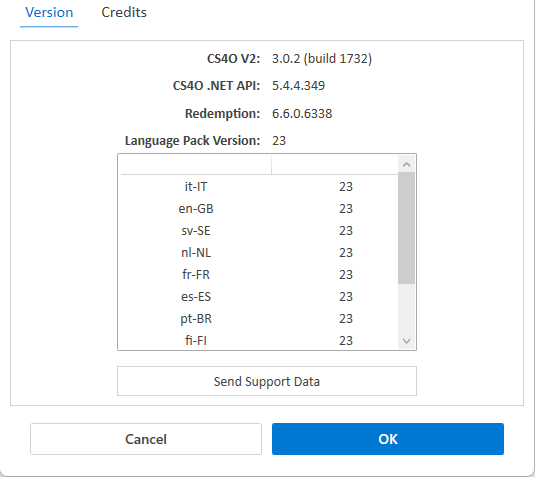
Go to Settings > Version to display the following versions information:
-
Version of the Cryptshare for Outlook (Classic) add-in.
-
Version of the .NET API (i.e. interface between the add-in and the Cryptshare Server).
-
Version of the installed language pack.
Send support data
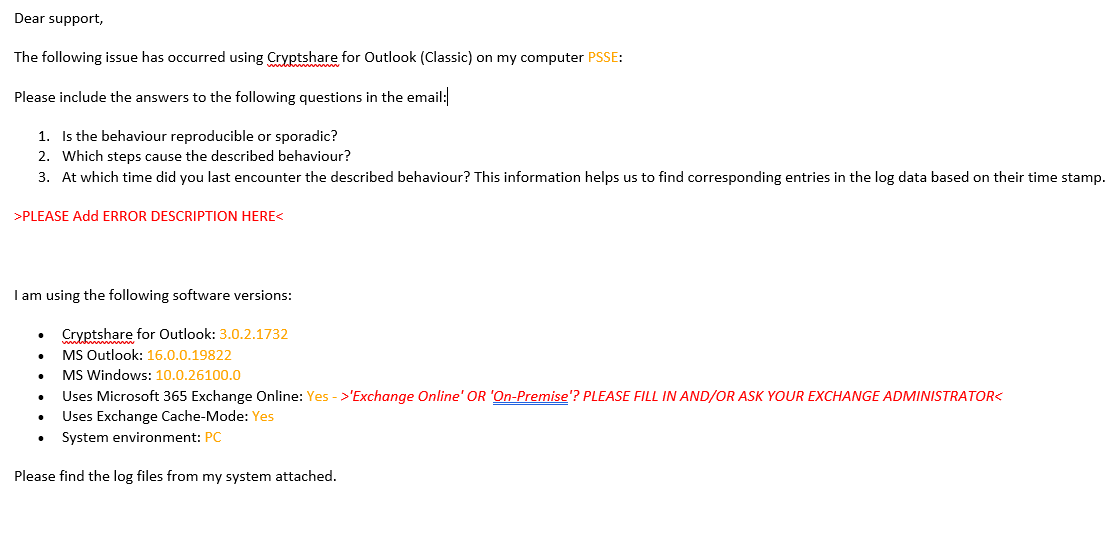
Send Support Data provides the user with the possibility to conveniently collect and package diagnostics for support. A support email template is generated, which includes the relevant diagnostics as attachments. The user can then send this email to the support team of their organization or directly to Cryptshare Support.
A log file is generated that contains the diagnostics data. This log file is automatically added as an attachment to the support email. You may either keep or remove it.
Example support email when clicking Send Support Data:
| See also: Contact Support |