
Policy
Policy settings
Policy Rules are a core security component of the Cryptshare Server. They define who can use the system and which options and settings apply if a certain sender communicates with a certain set of recipients. A policy rule consists of three parts:
-
The sender pattern: Which sender is allowed/declined to send a transfer.
-
The recipient pattern: Which recipient will be allowed/declined to be sent to.
-
The individual transfer settings: Which restrictions and possibilities will be applied on a transfer if the specified sender/recipient combination matches the provided sender and recipient addresses.
Basic Functionality
Step 1
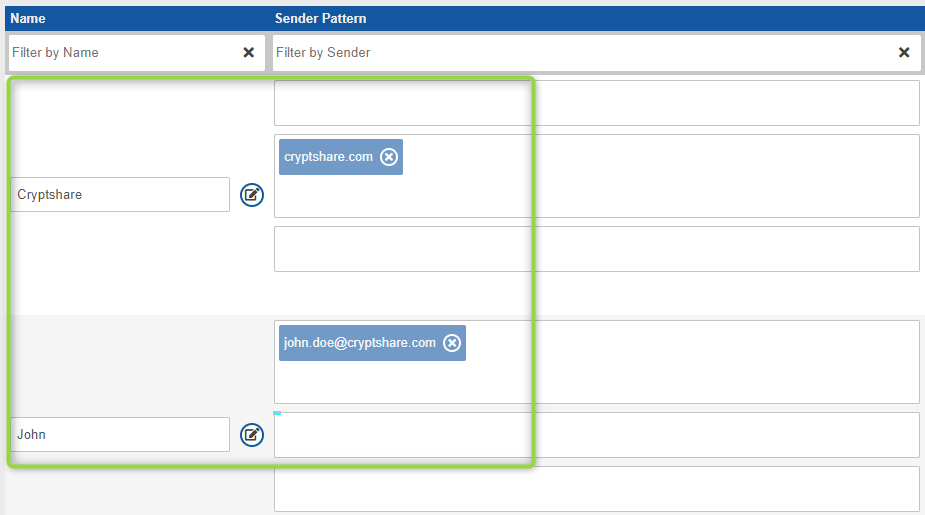
When a sender initiates a transfer, all available policy rules are analyzed and it is checked whether the given sender address matches with one of the rules. All rules that match are taken into the next step.
Step 2
The rules from step #1 are taken and all given recipients are checked against the recipient patterns of these rules.
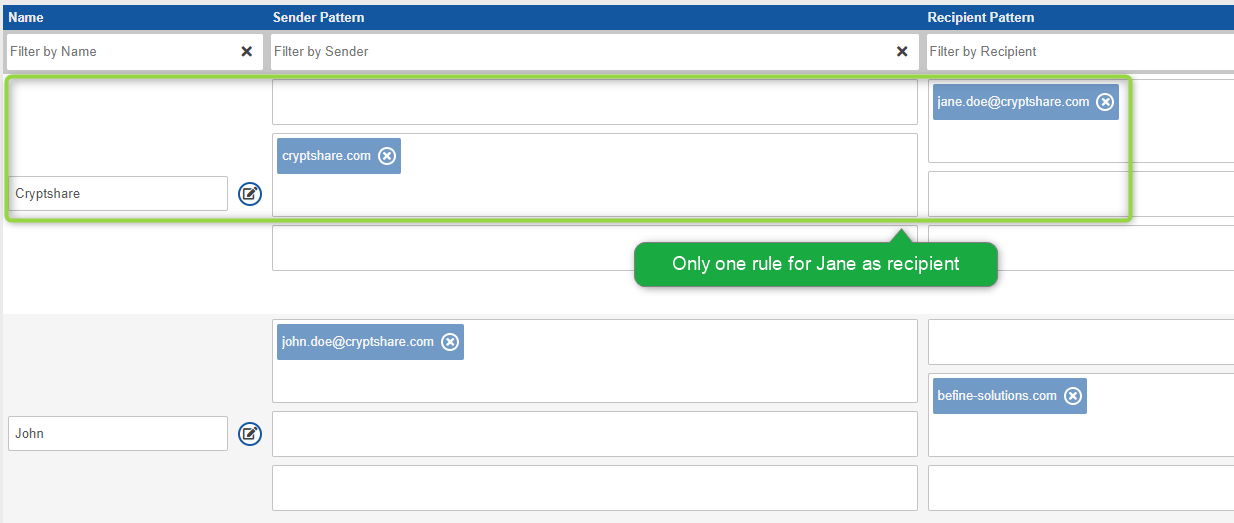
A transfer is either granted or declined as a policy rule can either be set to 'Allow Transfers' or 'Decline Transfers'. The settings for the policy rule in step #2 will be applied to the transfer if it is granted.
|
What happens if multiple rules apply?
It can also happen that multiple rules remain after Step #1 and #2. In this case policy rules are merged. Read more about this in the chapter 'Conflict Solution'. |
Administering Policy Rules
|
Save your changes!
All changes to policy rules will only be applied and saved to the
database after the Save-Button has been clicked!
|
Types of Policy Rules
There can be two types of Policy Rules, LDAP Rules or rules based on regular expressions. The latter is more commonly used and is the default for new policy rules.
Policy rules based on regular expressions
Policy rules of this kind can be configured to either match to
-
Email addresses, i.e. John.Doe@cryptshare.com, Jane.Doe@befine-solutions.com
-
Email domains, i.e. http://cryptshare.com cryptshare.com, http://befine-solutions.com befine-solutions.com
-
Regular expressions, i.e .*?@cryptshare\.com
In each rule, you can define one or multiple patterns of this kind. Examples: Using multiple patterns in a rule, it is possible to grant access to one single user from domain 'A' but also grant it to all users from domain 'B'. For instance, allow it to 'John.Doe@http://cryptshare.com[cryptshare.com]' and to all users in 'befine-solutions.com'. With regular expressions, a rule can be made even more precise. For example, you could easily exclude certain recipients from a domain. The regular expression '^(?!jane\.doe@cryptshare\.com)(.*?@http://cryptshare.com[cryptshare\.com])* would exclude Jane from*http://cryptshare.com[cryptshare.com]*while including all others in*http://cryptshare.com[cryptshare.com]'.
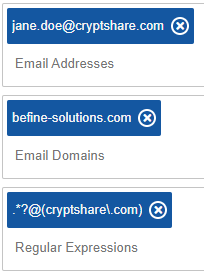
> Policy Rule based on regular expressions
LDAP Rules
For being able to setup these rules, it first is necessary to set up the LDAP Server. Once this has been done an LDAP based rule can be created. For this, a custom policy rule needs to be used, as default rules are always based on regular expressions. Once the rule is listed with all the others it can also be edited using the edit mode. Instead of defining a set of regular expressions, this rule allows selecting certain users or groups from your LDAP directory. In LDAP settings you can define which attributes in your LDAP directory contain email addresses. Cryptshare will match the email address inputs with the contents of the attributes defined here.
|
When using Microsoft Active Directory
When the configured LDAP Server is of type Microsoft Active Directory, inactive users are automatically excluded during policy rule processing and cannot be used. |

> LDAP based Policy Rule
Rules using Network Patterns
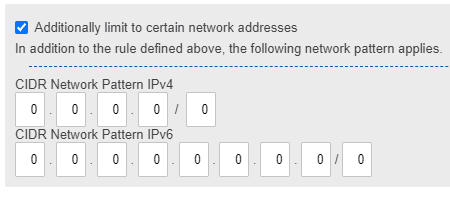
The sender pattern can optionally be further narrowed down by network-based patterns. By specifying a network pattern in CIDR notation, the policy rule only applies if both the e-mail address and the IP address of the sender match the respective patterns. Depending on the type of rule (allow or deny), senders from specific IP address ranges can thus be allowed with specific settings or denied. You can choose both IPv4 and IPv6 patterns at the same time.
Default Rule Set
A default rule set consists of two separate policy rules. The combination of these two rules guarantees three things:
-
Internal users can send transfers to anyone, including external users.
-
External users can send transfers to anyone inside the licenced domains.
-
No external user can abuse the system for sending transfers to other external users.
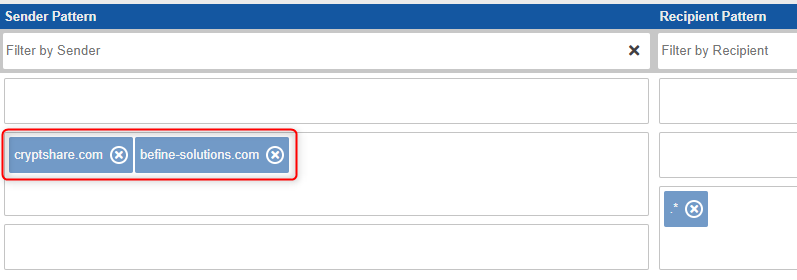
The rule only allows senders of specific domains (cryptshare.com and befine-solutions.com) to send transfers to any address (.\*).
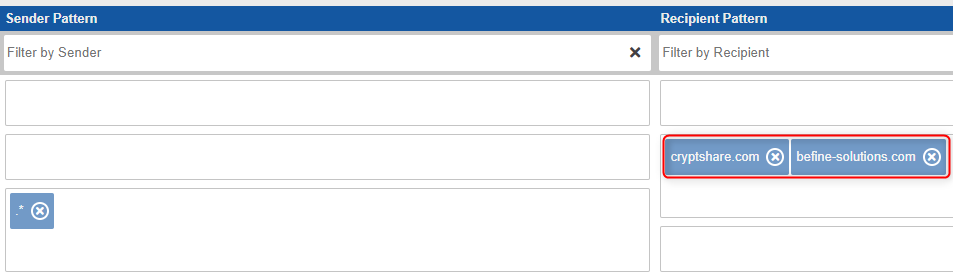
The rule allows anyone (.\*) to send a transfer to someone using either the domain cryptshare.com or befine-solutions.com
Creating Policy Rules
Cryptshare offers 4 possibilities for creating policy rules.
(1)
Clicking this button creates a default ruleset using those email addresses and domains specified in the Cryptshare License you have purchased. If for instance you have licenced the domain mydomain.org, two rules are created:
-
.\* -→ mydomain.org
-
mydomain.org -→ .\*
This means that everybody will be able to send to mydomain.org and the other way around.
(2)
 Adding a new default rule, just adds a new regex-based rule to the
existing list of rules. It uses default server settings just like all
other newly created rules. By using the edit mode, all desired emails,
domains or regular expressions can be added to the rule.
Adding a new default rule, just adds a new regex-based rule to the
existing list of rules. It uses default server settings just like all
other newly created rules. By using the edit mode, all desired emails,
domains or regular expressions can be added to the rule.
(3)

Using the policy rule wizard allows you to create a custom policy rule while being guided through the configuration process. All default settings can be changed as desired. Leaving the wizard using the 'Apply' button adds the rule to the existing list of rules.
(4)
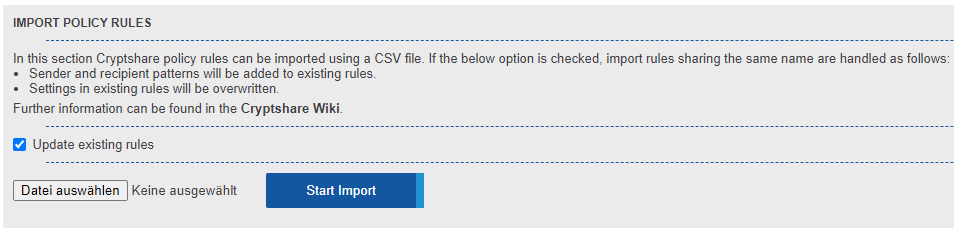 Using the
'Import
Policy Rules' function allows you to import a csv file containing
policy definitions for creating new and editing existing policy rules.
For all undefined values the default settings are used.
Using the
'Import
Policy Rules' function allows you to import a csv file containing
policy definitions for creating new and editing existing policy rules.
For all undefined values the default settings are used.
Policy Settings
General Notes
New Policy Rules are created using the servers default settings. If the default server setting is changed, this will NOT affect existing Policy Rules.
|
Default Settings of Policy Rules
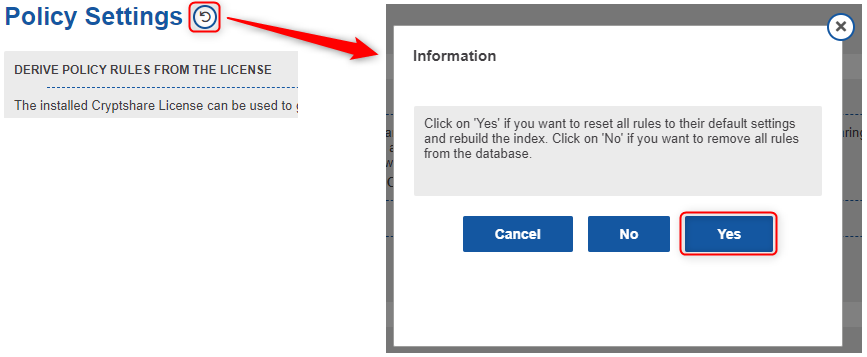
If you want to apply changed server settings to existing rules, this can be done by using the reset-function in the policy section. Please note that this will reset all existing rules! |
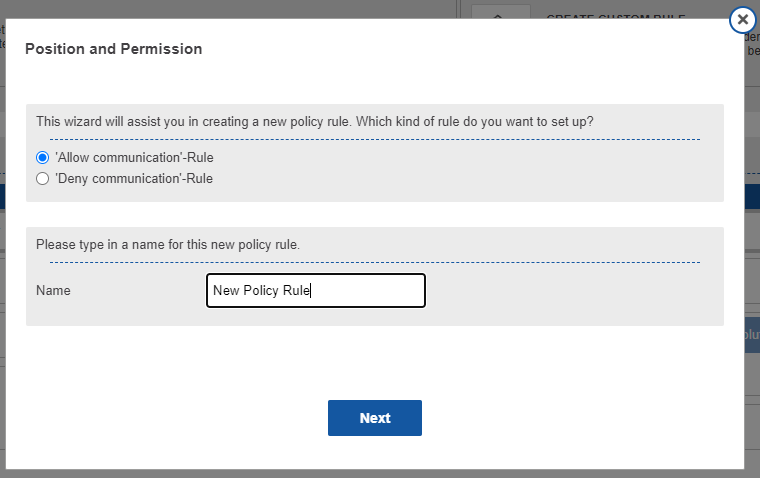
Transfer Settings
Allow
If a rule is set to allow all email addresses matching the specified patterns will be able to send/retrieve a transfer.
Deny
|
Denying rules supersede
Regardless how all other rules are set up, all email addresses matching to the patterns of this rule will be declined. |
Each policy rule can be set up using an individual setting for the retention period and the maximum transfer size. The settings in this rule supersede the general server settings.
Message Content Settings
Each policy rule can be set up using an individual setting for a variety of messaging and message content settings. The settings in this rule supersede the general server settings.
Security Settings
Each policy rule can be set up using individual download security settings. The settings in this rule supersede the general server settings.
Mail Server Settings
Each policy rule can be set up using individual mail server settings. The settings in this rule supersede the general server settings.
Log Settings
Each policy rule can be set up using individual log settings. The settings in this rule supersede the general server settings. Pre-Processing Settings Each policy rule can be set up using individual pre-processing settings. This settings in this rule supersede the general server settings.