
Persons
On the list Persons you can see all active persons in Compliance Suite.
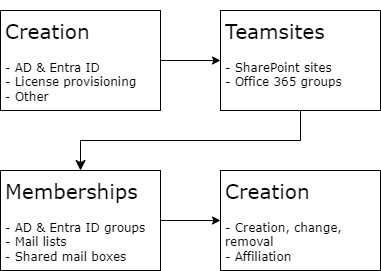
Here, you can automate the following processes:
-
The person is created as a user in one or more linked systems, e.g., Active Directory, Entra ID or other systems, and is assigned the license intended for the role.
-
The person will have access to areas in SharePoint Online and Office 365 groups.
-
The person will have membership in AD and Entra ID groups, mailing lists, and shared mailboxes.
-
All changes, creations, attachments, and deletions are logged.
SoD conflicts
If the person receives a role that causes an SoD conflict, you can find information about it in the details of a person.
-
Tab Groups > column Provisioning status
In this column the status of an assigned group, that is causing a conflict, is set to SoD Conflict.
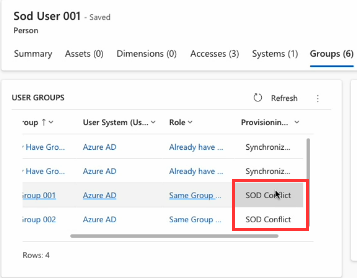
| If a membership to a resource is given directly in the external system while the Provisioning Status of this membership is SOD Conflict, CCS removes that membership to the resource. Thus, the provisioning status is set to Synchronized. Under SOD Investigation, then to Removing and finally to SOD Conflict. |
-
Tab SoD Conflict
As soon as an SoD conflict is created for a person, the tab SoD Conflicts is added, showing the amount of conflicts that are created.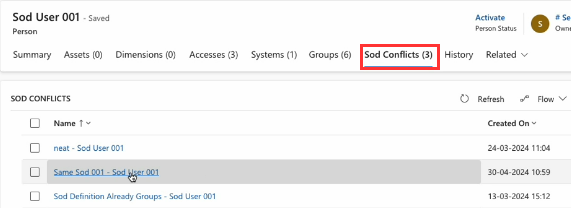
Clicking on the name of the SoD conflict here, opens the details of this SoD conflict in component Manage.