
Custom Resources - Custom Resource Sets
Custom Resource Sets is a grouping method that can be used to create auto roles and auto groups automatically for a given set of Custom Resources. For example, if all Non Domain Users in Denmark are gathered in a Custom Resource Set, the set can be used to create auto roles and auto groups that apply to all people with this value in the specific set.
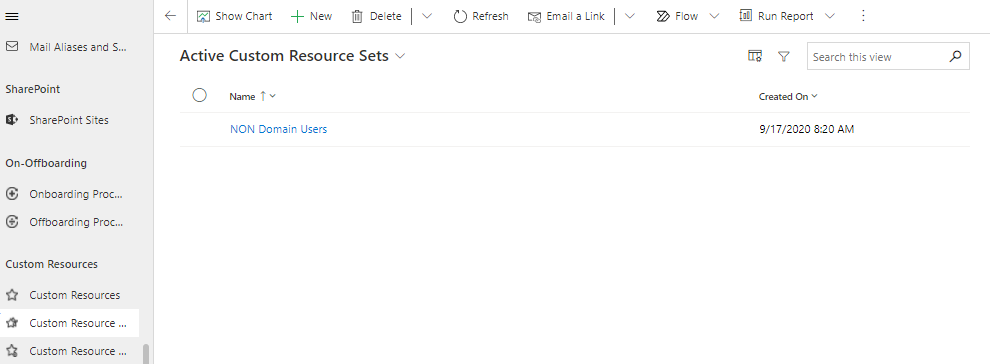
You get an overview of all active Custom Resource Sets under "Active Custom Resource Sets":
Create a new Custom Resource Set
Create a new Custom Resource Set by clicking "+ New" under Custom Resource Sets.
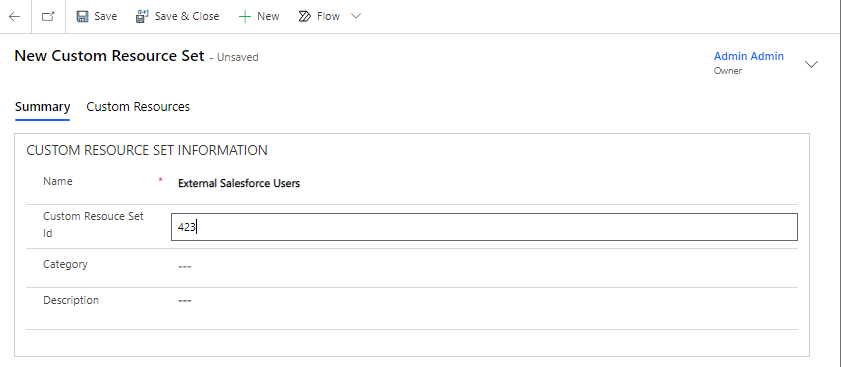
The fields are filled in like this:
| Field Name | Type | Description |
|---|---|---|
Name |
Text |
Name of the set. |
Custom Resource Set ID |
Text |
Optional ID for the Custom Resource Set. |
Description |
Text |
Optional description of the Custom Resource Set. |
Category |
Lookup |
Optional category for the Custom Resource Set. |
Custom Resource Set Type |
Lookup |
Set Type for Custom Resource Set. |
New or existing Custom Resources can be added to a set under the Custom Resources tab. Click on "+ New Custom Resource" or click on the three dots, get the drop-down option and select "Add Existing Custom Resource:
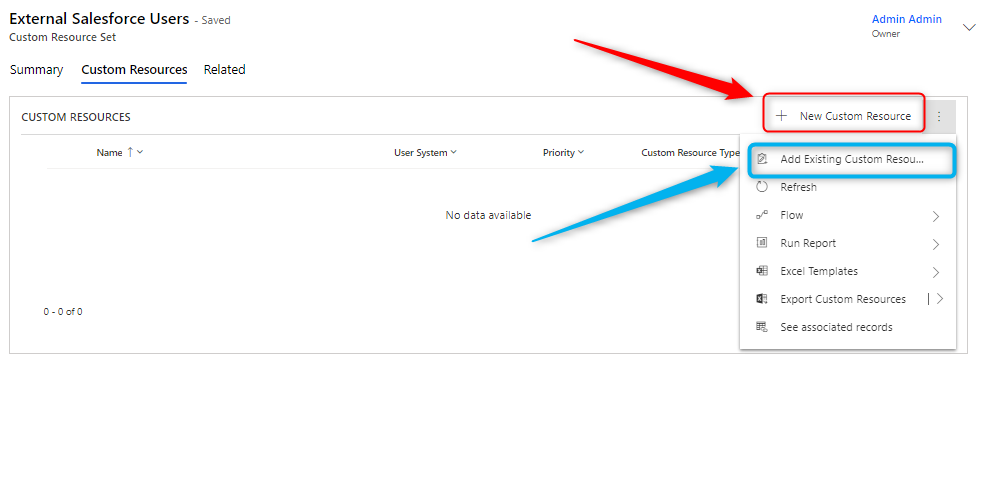
Add new Custom Resource
To see how to create a Custom Resource go to this article on Custom Resources.
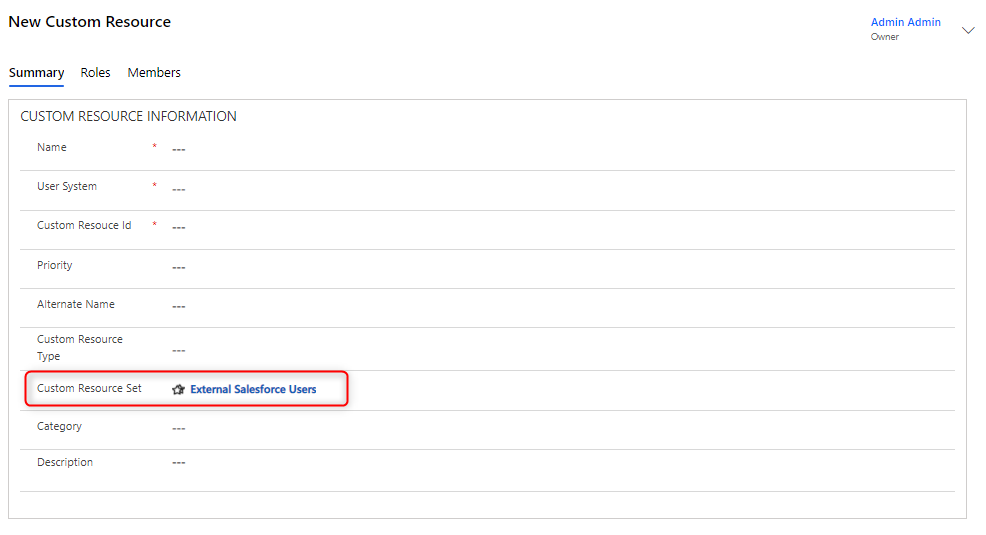
Add Existing Custom Resource
Next, the following screen appears, where you can search for the Custom Resource or Resources you want to add to your Custom Resource Set.
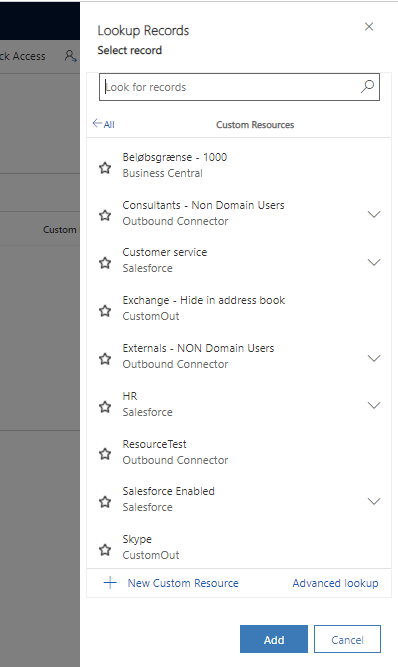
Click "Add" once you have selected all the desired Custom Resources. Next, the selected Custom Resources are added to your Custom Resource Set.
Now, based on this set, auto roles and auto groups can be added for these Custom Resources.