
How do I recover someone I accidentally deleted in Compliance Suite?
If you accidentally delete a person from the Compliance Suite, you must restore the user in AD. To do this, follow these instructions.
After restoring the person in AD, that person must be reactivated in the Compliance Suite. Here’s how:
Navigate to "Persons" and change the view from "Active Persons" to "Inactive Persons".
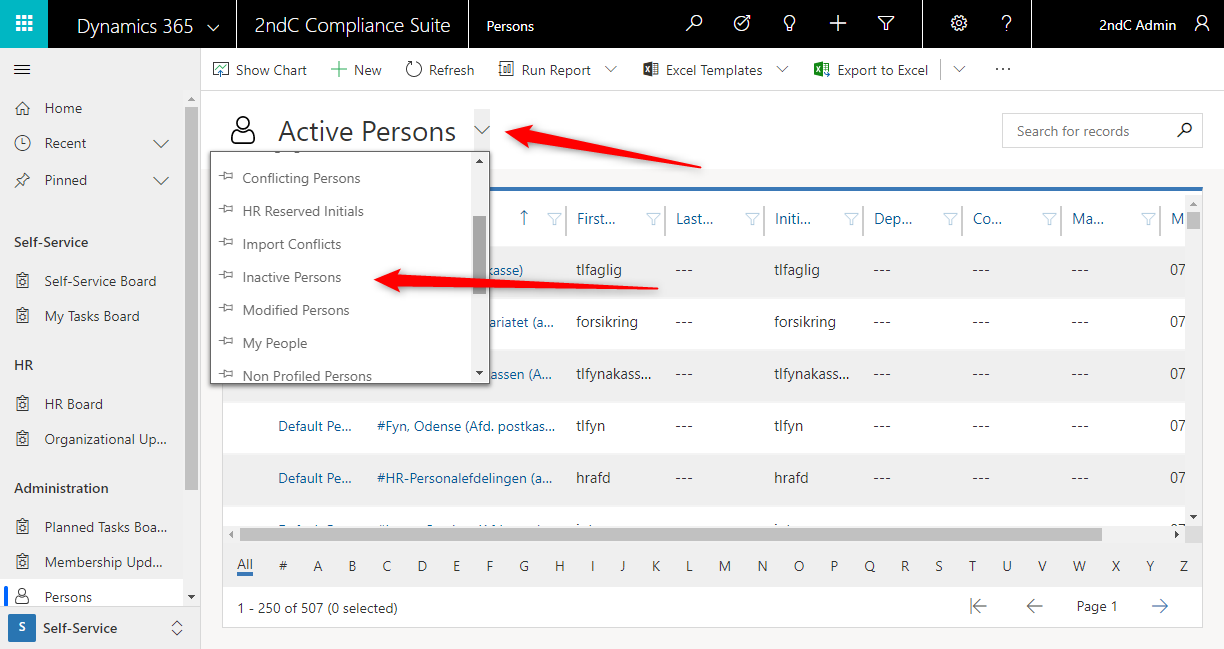
Find the person who was mistakenly deleted from the list. You must do this manually. If you use the search function, you are led away from "Inactive Persons". Click on the person.
Here you must activate the personal card and change the person’s "Person Status" to "Active".
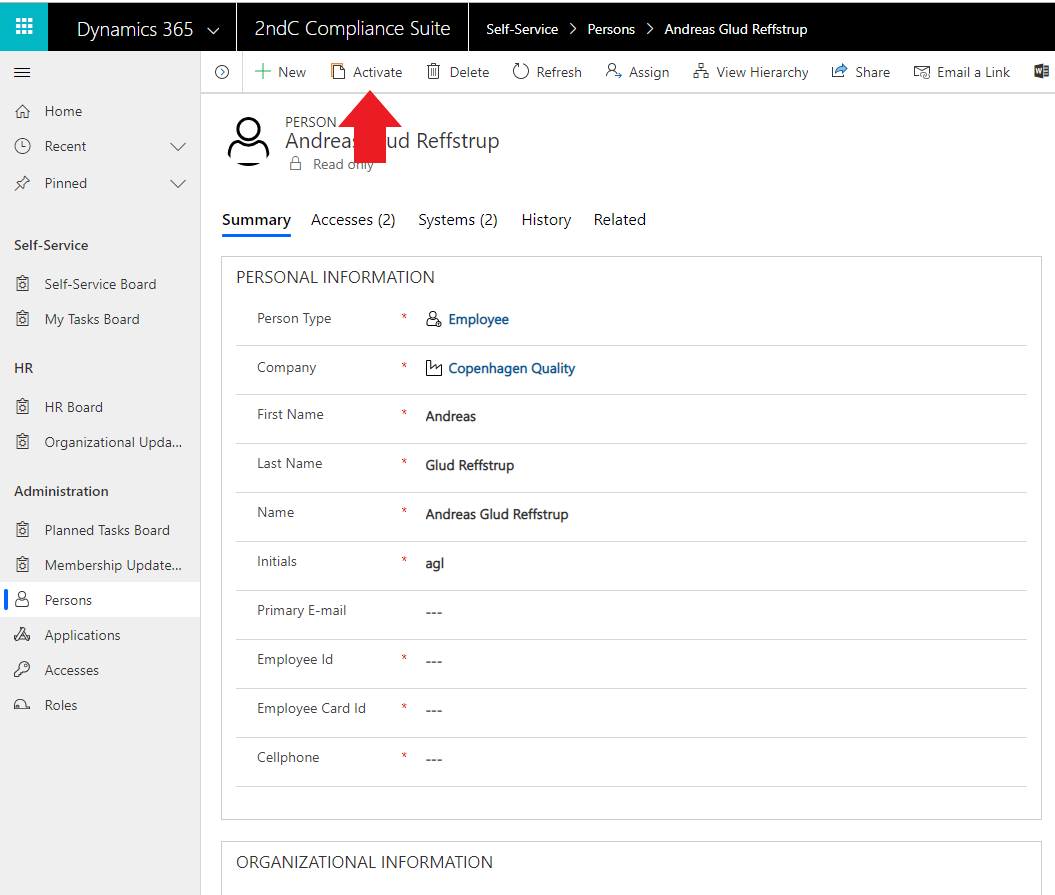
Now the Compliance Suite will bind the restored AD user object with the person in the Compliance Suite.
Once the person is restored, it is important that you check if he or she has the right accesses. Accesses formed from auto roles automatically fall into place. If the person has previously been assigned accesses manually, these must be added manually again.