On-Offboarding - Onboarding Processes
Onboarding processes are processes with optional steps in Compliance Suite. Onboarding includes steps that need to be performed when a new person joins the company. For example, there may be different onboarding processes depending on whether an internal or external employee is joining the company. You will find the onboarding processes under "Onboarding Processes" in the "Connectors" sub-area.
Onboarding processes are performed before or after a person’s activation date in Compliance Suite. In the process, it is possible to define steps that are automatically performed as part of onboarding on specific days and at specific times, respectively. Processes can be changed while they are active, and people remain in an onboarding process even if they lose the role that gives them access to said process.
Onboarding processes can perform timed steps that must occur leading up to a person’s activation date, such as creation in AD, delegation of tasks, assignment of licenses, submission of e-mail notifications, etc.
Active onboarding processes
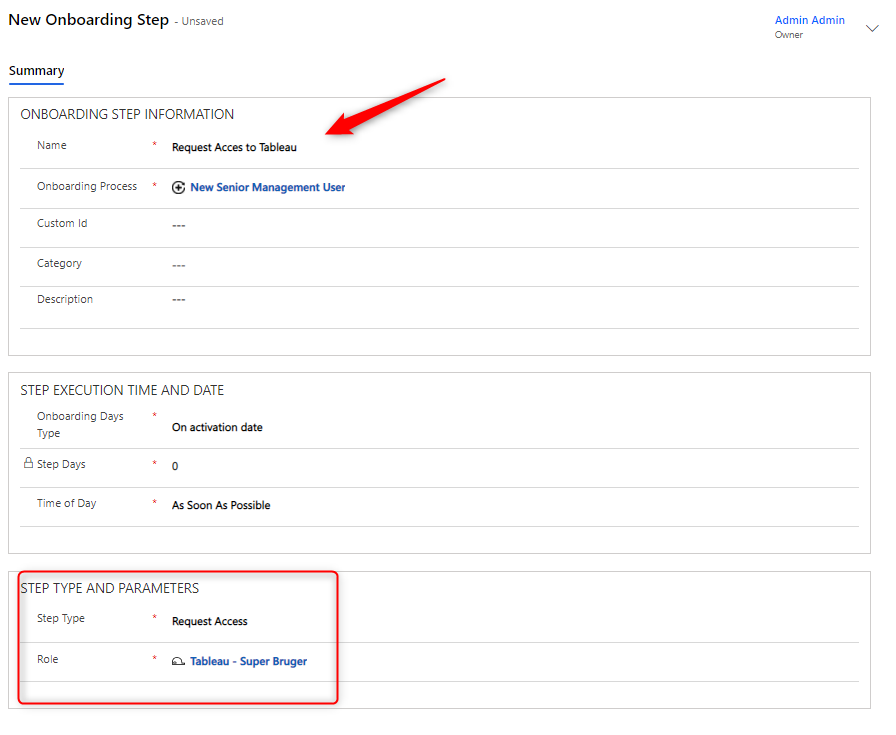
Click on the menu item "Onboarding Processes" to see the overview of all active onboarding processes defined in Compliance Suite:
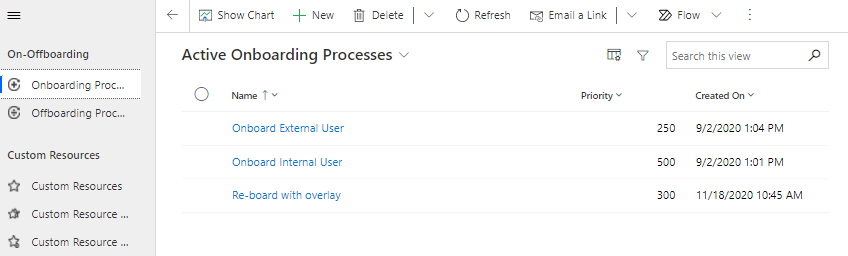
Example of an onboarding process:
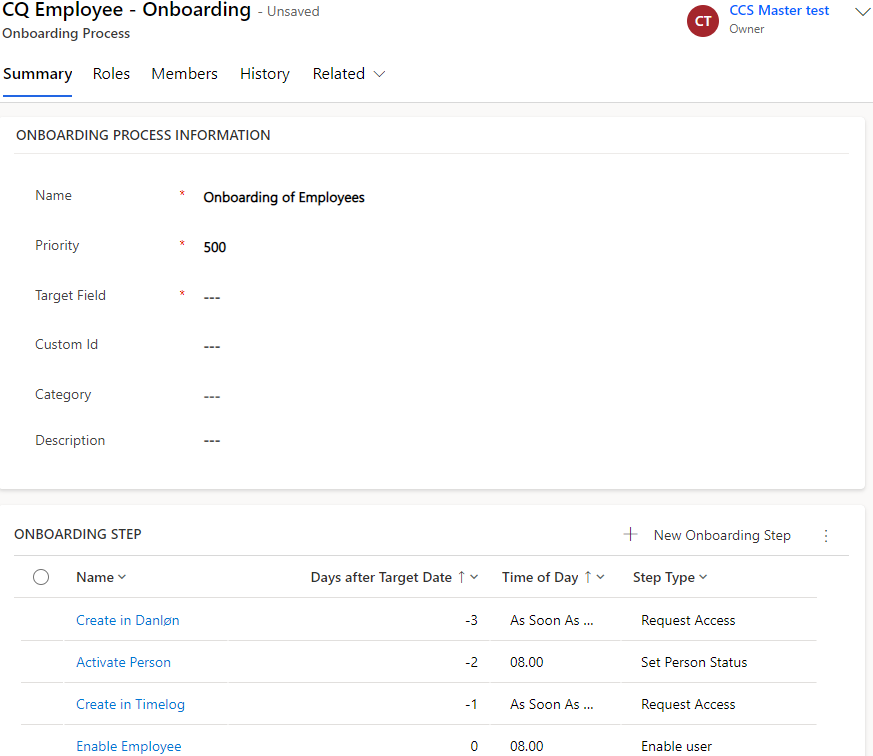
How to create a new onboarding process:
-
Click on +New to create a new onboarding process.
-
Name, Priority and Target Field are mandatory fields. You have to fill them in.
Target Field can have the following values:-
Activate on
-
Employment Start
-
-
Click Save to create your process.
Afterwards, you have the opportunity to define the process steps for the onboarding process. To do so, look under Onboarding Steps.
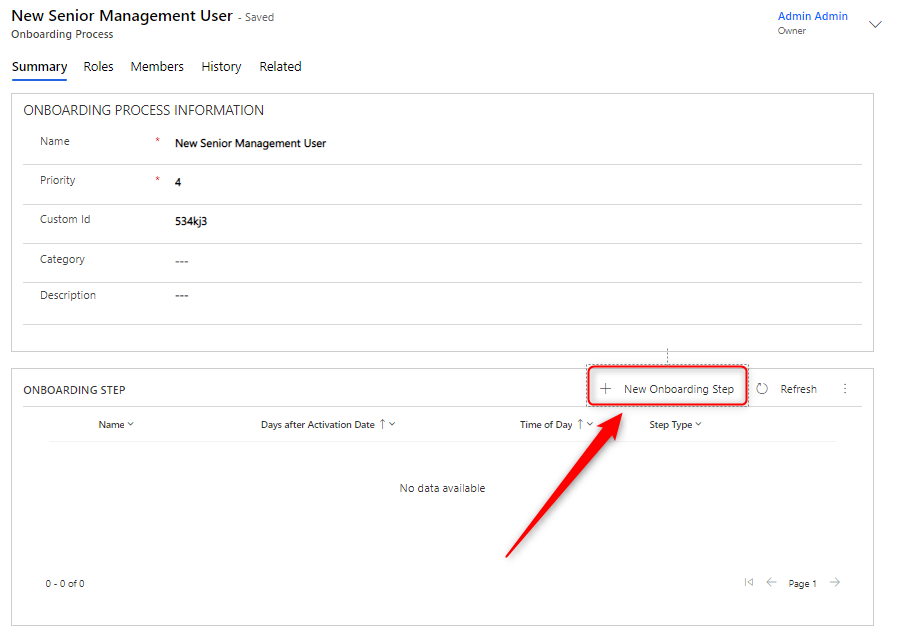
To create a new step, click on +New Onboarding Step:
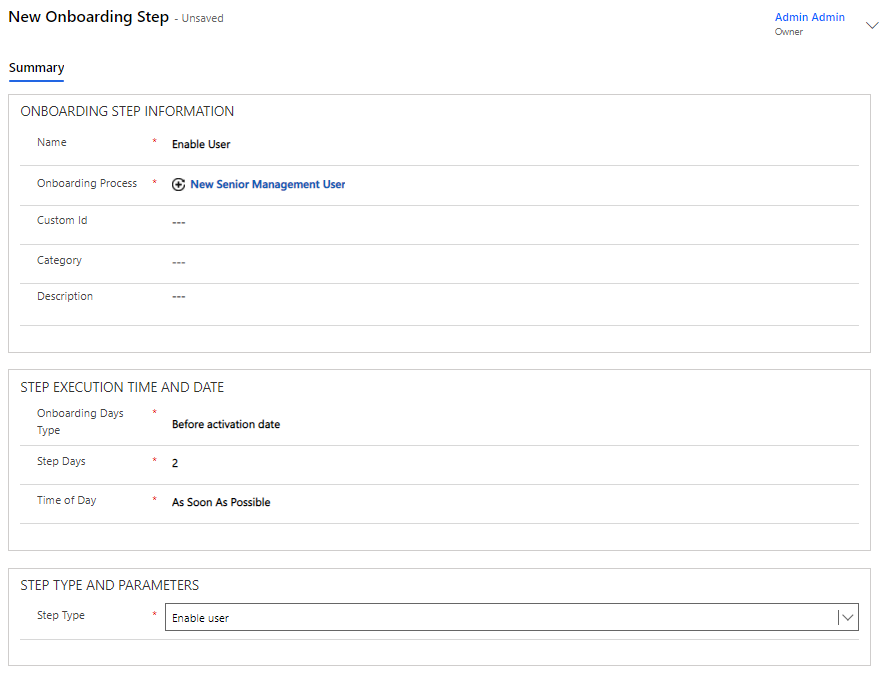
You fill in the fields as follows:
| Field Name | Type | Description | ||
|---|---|---|---|---|
Name |
Text |
The name of the given step in the onboarding process. |
||
Onboarding Process |
Lookup |
Indicates which onboarding process the step is associated with. One step can only be linked to one process.
|
||
Custom Id |
Numeric |
Step ID (used for sorting). |
||
Category |
Lookup |
Indicates what the step is about. |
||
Description |
Multiline Text Field |
Here is a longer description of what the onboarding process is about. |
||
Onboarding Days Type |
Grouped Setting |
Indicates whether the step takes effect "Before Activation Date", "On Activation Date" or "After Activation Date". |
||
Step Days |
Numeric |
Number of days before or after the activation date on which the step is to be performed. Related to "Onboarding Days Type". |
||
Time of Day |
Grupperet Setting |
Time of execution. |
||
Step Type |
Grouped Setting |
Indicates the type of step in question: 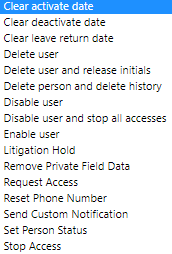
|
The different types of steps
| Step type | Description | ||
|---|---|---|---|
Clear activate date |
Removes the "Activate On" date from person. |
||
Clear deactivate date |
Removes the "Deactivate On" date from person. |
||
Clear leave return date |
Removes the "Leave Return Date" date from person. |
||
Delete user |
Deletes the user. |
||
Delete and release initials |
Deletes the user and releases the initials. |
||
Delete person and delete history |
Deletes the respective person and the corresponding history. |
||
Disable user |
Disables the user. |
||
Disable user and stop all accesses |
Disables the user and stops all user accesses. |
||
Enable user |
Enables the user. |
||
Litigation Hold |
Sets the user’s mailbox on Litigation Hold. |
||
Remove Private Field Data |
Removes the user’s personal information. |
||
Request Access |
Requests access to an application. |
||
Reset Phone Number |
Resets the user’s telephone number. |
||
Restart offboarded-stopped accesses dynamic |
Reactivates all accesses that have the stopping reason Stopped by Offboarding when reboarding an inactive person.
|
||
Send Custom Notification |
Sends and email with to the defined persons with the defined notification. |
||
Set Person Status |
Selects the person status of the user. |
||
Stop Access |
Stops an access. |