
Configuring CS4N Forwarder Application
Accessing Configuration
Use the "Configuration" area of the CS4N Forwarder Application to perform all application specific settings and configurations.
|
Changing Agent Settings
If changes have been made to the settings for the periodic agents in the configuration, the application should be signed again afterwards. This is necessary if the signature of the person who made the changes does not have agent execution rights on the Domino server. |
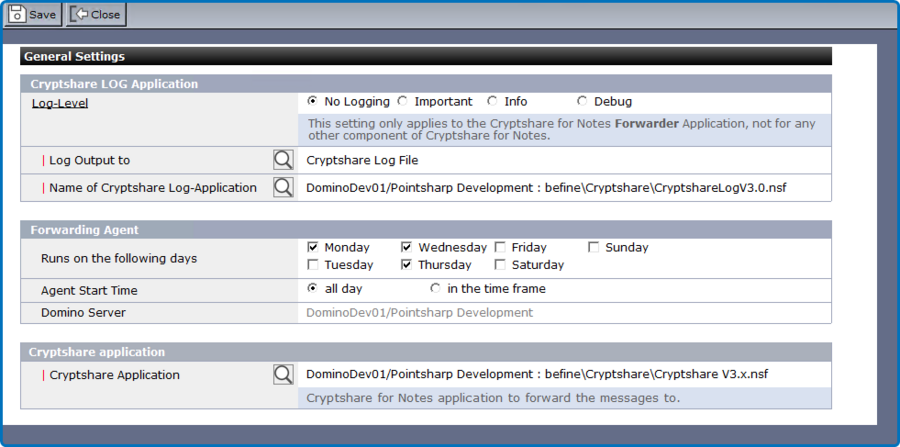
Section: Cryptshare Log Application
| Label | Comment |
|---|---|
Log Level |
Defines the level of detail for log entries.
|
Log Output To |
Select where you would like the status information to be logged to. |
Name of Log Application |
Select name and location of the Cryptshare Log Application. |
Section: Forwarding Agent
Use this section to make settings concerning the Forwarding Agent.
| Label | Comment |
|---|---|
Runs on the following days |
Select the days on which the agent should run. |
Agent Start Time |
Select if the agent should run all day or in a certain time frame. |
Starts only between |
Select the time frame in which the agent should run. |