
Sub-tab "Basic Settings"
Use this tab to set up a basic configuration your CS4N application such as the locations of other related databases (e.g. names.nsf, Log Application, Forwarder Application) or Agent Control.
Section: Notes Address book
The Notes address book is required to resolve name groups, permissions, Internet addresses, etc.
| Label | Comment |
|---|---|
Adressbook (names.nsf) |
Select the address book with which the CS4N application should work. |
Section: Notes Mail.box
For forwarding emails.
| Label | Comment |
|---|---|
mail.box for email forwarding |
Select the mailbox for forwarding CS4N&D emails. Emails modified by CS4N&D (after removing attachments) will be forwarded through this mailbox. |
Section: Log Application
All events that are relevant for running CS4N are logged in the Log Application. The level of detail is depending on the log level setting.
| Label | Comment |
|---|---|
Log-Level |
Defines the level of detail for log entries. No = Logging deactivated. Important = Only important events are logged. Info = Important and informational data are being logged. Debug = All details that might be relevant for problem analysis are being logged. |
Log output to |
Select where you would like the status information to be logged to. |
Name of Log Application |
Select name and location of the Cryptshare Log Application. |
Agent monitoring |
Here, you select the periodic agents that the CS4N&D application should monitor in the Cryptshare Log application. The check interval is 30 minutes. |
Section: Forwarder Application
The Forwarder Application is required to forward messages that are processed by server-side rules in a Domino Infrastructure with multiple Domino Servers (see Operating Modes Overview).
| Label | Comment |
|---|---|
Forwarder Application |
Activate or deactivate the CS4N Forwarder feature. |
Name of Forwarder-DBs |
If you are using one or many Forwarder Applications you can register them here. |
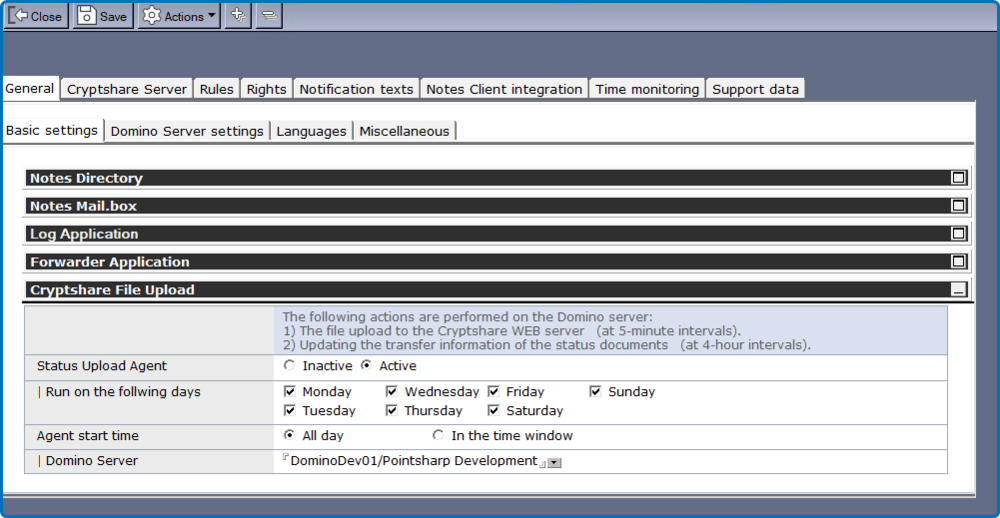
Section: Cryptshare file upload / status update
This function (agent) performs the file upload to the Cryptshare WEB server (5 minute interval) and updates the status of the status documents.
| Comment | |
|---|---|
Status Upload Agent |
To activate / deactivate the agent. |
Start on the following days |
On which days should the agent run. |
Agent start time |
At what time should the agent run. |
Domino Server |
Here you select the Domino server on which the CS4N&D application is installed. |