
Revoke a transfer
After you have performed a transfer, there may be reasons to revoke access to the files of this transfer for all recipients. The reason could be:
-
the containing information is outdated and obsoleted by a new transfer.
-
the transfer has been sent to the wrong recipient.
-
it is required to revoke access for all recipients due to security or regulatory reasons.
The transfer can be revoked by the sender, either by clicking Revoke in the Cryptshare Web App, or by clicking Revoke in the transfer status.
All files, including the message, will then be deleted from the Cryptshare Server, not available for download.
How to revoke a transfer
-
Go to Transfer status (click link in notification email).
-
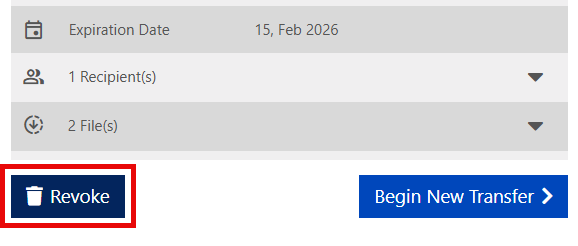
Click Revoke in the transfer status.
-
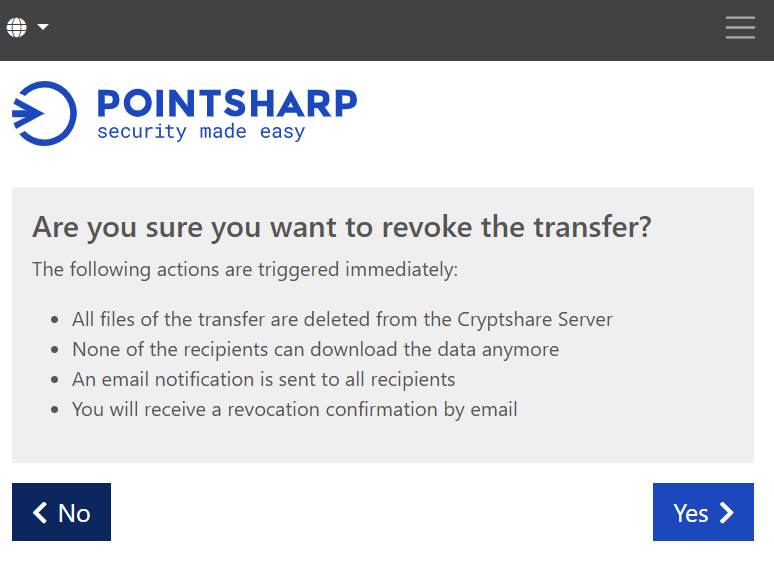
Click Yes to start the revoke.
-
The Cryptshare user interface will show a confirmation saying: "Transfer revoked successfully", and an email will be sent to both the sender and the recipient.
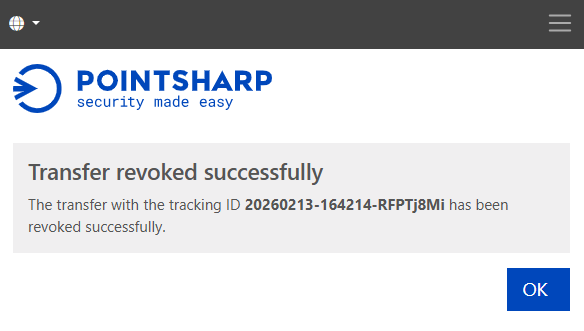
The files and message of this transfer cannot be retrieved anymore and are completely deleted from the Cryptshare Server.