
Applications - Application Types
Application Types are used to classify the applications created in Compliance Suite. This includes internal, external or paper-based applications, among others.
Navigate to "Application Types" found in the "Connectors" area to see all application types created in Compliance Suite.
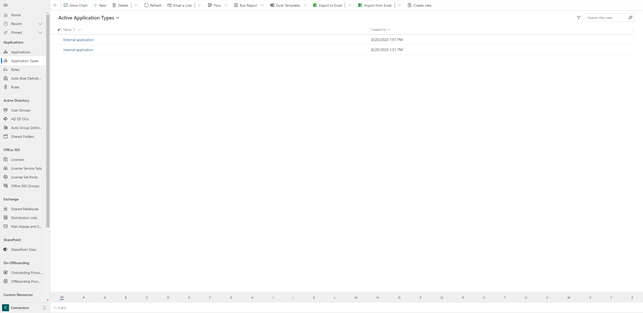
Application Types is a method to classify data in Compliance Suite. For example, if your organization has a number of internal and a number of external applications, it is appropriate to create application types to classify those applications. The reason for this is that there may be different guidelines or approval and implementation processes associated with the different application types that should be taken into account.
How to create a new Application Type
To create a new Application Type, click on "+New" in the menu bar.
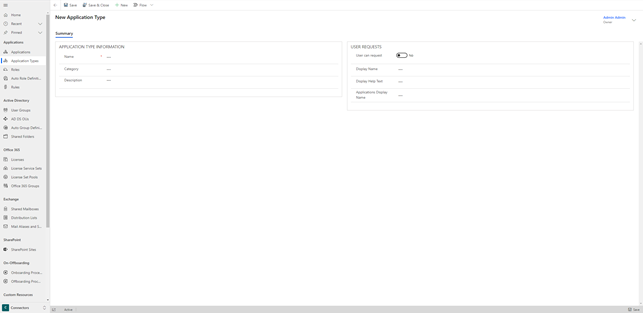
You fill in the fields under "Application Type Information" as follows:
| Filed Name | Type | Description |
|---|---|---|
Name |
Text |
Enter a name for the new Application Type. |
Category |
Lookup |
If necessary, select a category. |
Description |
Text |
Enter a description of the new Application Type. |
Click "Save" to save and create the application type.
You must enable "User can request" in the "User Requests" box if you want it to be possible to request access to roles linked to applications with your newly created application type in the Compliance Suite’s self-service solution. If the option is not enabled, it will not be possible to request access to applications of this type.
Learn more about applications in Compliance Suite in this article.