
Applications - Roles
Under "Self Service | Roles", an overview is displayed of all the roles created in Compliance Suite. This may include automatically created roles and manually created roles:
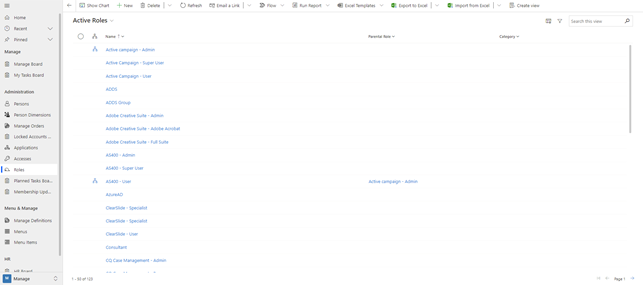
All links between a person and external systems are made through one or more role memberships. The external systems may include SharePoint Online domains, Entra ID users and group memberships, Active Directory Domain Services users and group memberships, Office 365 licenses, Office 365 groups, as well as Exchange Online shared mailbox accesses and distribution list memberships.
Roles can be assigned in several ways:
-
Automatically via a rule with conditions for master data on persons
-
Auto roles set based on the auto role definition
-
Inherited automatically from a subordinate role
-
Quick Access from the personal card.
In the role in Compliance Suite, you can see which people have the role assigned, either manually as "Assigned Members" or automatically via an auto-role as "Dynamic Members".
You can also see the reason for the person’s dynamic role.
One or more roles can be linked to the following entities:
| Entity | Description |
|---|---|
User System |
When persons with the role are created on the affiliated system. If the role members need to be created on AD and Entra ID, simply add the AD system here. (AD Connect syncs the people to Entra ID). If the role members just need to be created in Entra ID, add the Entra ID system. |
Active Directory (AD DS) Organizational units |
One or more roles can be assigned to one or more Organizational Units in the AD DS. This means that when people are assigned to one of these roles, a user is automatically created for the person in that AD DS and placed in the specified OU (if the person does not already have a user in this system). If the person changes roles, or the role membership affiliation to Organizational Units is updated, it causes the user object in AD DS to be moved to the corresponding Organizational Unit. |
User Groups |
Membership of the group is consistent with the persons associated with the roles provided that the persons are also created in the corresponding system. |
Shared Mailbox |
Membership to the Common Mailbox will match the persons associated with the roles provided that the people are also created in the corresponding system and have a mail license in Office 365. |
Distribution Lists |
Membership to the distribution list will match the persons associated with the roles provided that the persons are also created in the corresponding system and have a mail license in Office 365. |
SharePoint Policy |
Persons associated with the roles will either have imposed a minimum access or be restricted to a given access in SharePoint (in the case of restriction, it also applies that persons who are not associated with the roles have no access to the SharePoint area). |
Office 365 Groups |
Membership of the Office 365 group will match the persons associated with the roles provided that the persons are also created in the corresponding system and have a mail license in Office 365. |
License Service Set |
The assignment to the license service set will match the persons associated with the roles provided that the persons are also created in the corresponding system. |
Hierarchy
Roles are automatically assigned to a person based on a rule, for example, if they are in a particular department or company.
Roles use a hierarchy, which means that parent roles are automatically assigned:
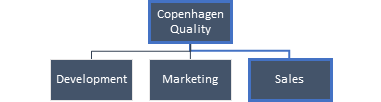

When the "Sales" role is assigned to Christoffer Larsen, he gains membership of the two AD groups linked to the "Sales" role and its parent roles at, for example Company.
Create new role
Click on "+New" in the menu to create a new role:
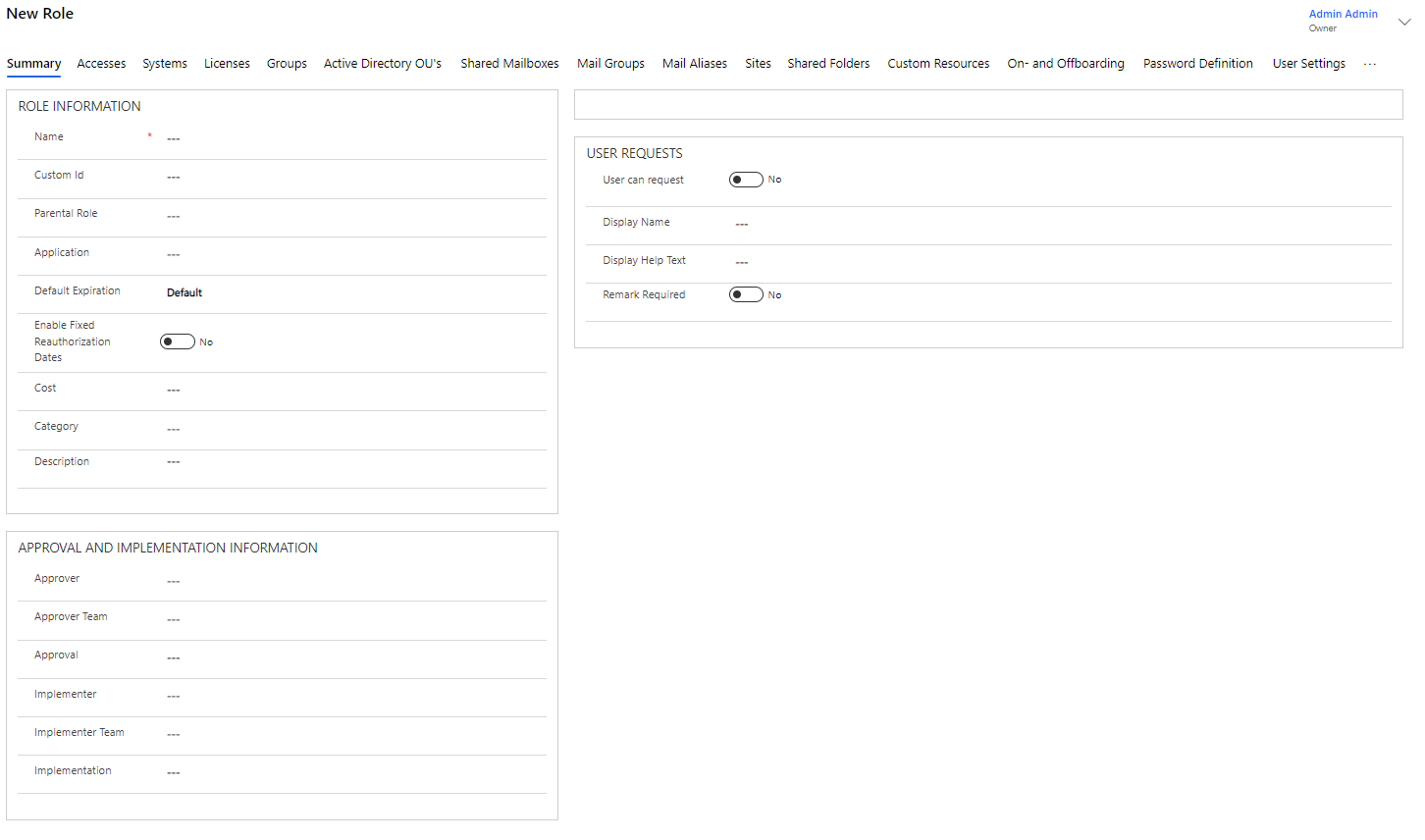
| Field name | Type | Description |
|---|---|---|
Name |
Text |
Enter the desired name of the role here. |
Parental Role |
Look Up |
Here, a possible parent role. |
Application |
Look Up |
Here, a possible application that is linked to the role. An Approver and/or an implementer may be attached to an application. |
Default Expiration |
Look Up |
Stands as default to Default - which corresponds to 31-12-3000. |
Enable Fixed Reauthorization Dates |
Yes/No |
Here it is chosen whether the role is to be re-authorized according to the date intervals chosen by the company. If desired, select yes - if nothing is selected, rules do not expire until 31-12-3000 (ie it does not actually have an expiration). |
Category |
Look Up |
Here, a possible category for the role. |
Description |
Text |
Here, a longer explanatory text about the role is entered. |
Child Roles and Rules
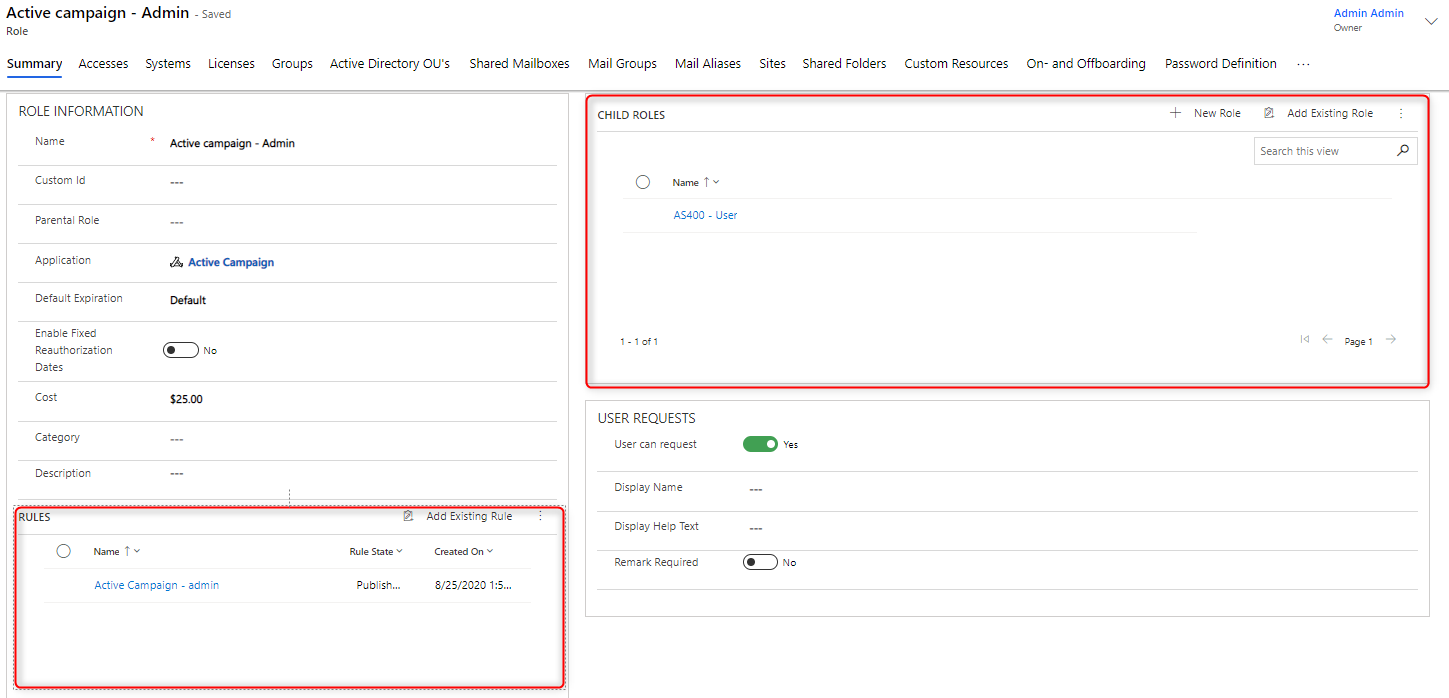
Once you have saved your new role, you will have the option to create a rule for the role and/or any Child Roles:
Implementer & Approver on role as well as User Requests
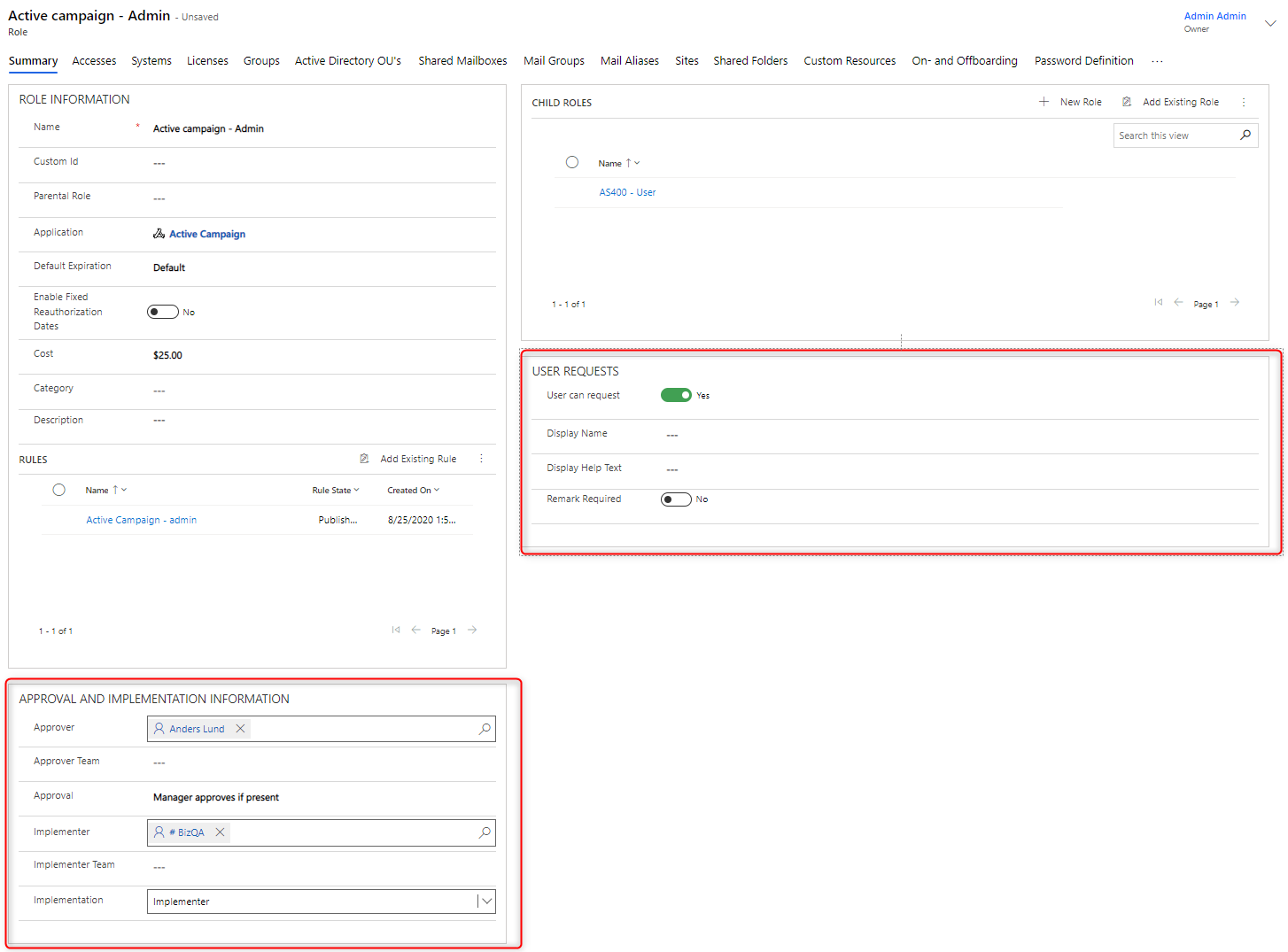
You can specify an Approver and an Implementer at the role level. This can be useful if a specific role requires a special approver who does not normally approve other roles in a system or an application.
You can also specify whether the role may be requested in the Self-Service solution. Again, there may be variations in the roles you want people to be able to request on an application. For example, you might want employees to be able to request a User role for an application, but not an Administrator role.
Tabs on a role
Under the other tabs, select the other values for the role:
| Table | Description |
|---|---|
Accesses |
Accesses that are covered by the role are displayed or created here. |
Systems |
Here, systems covered by the role are displayed or created. |
Licenses |
Licenses that are covered by the role are displayed or created here. |
Groups |
Here, groups covered by the role are displayed or created. |
Active Directory OU’s |
OUs that are covered by the role are displayed or created here. |
Shared Mailboxes |
Shared Mailboxes that are covered by the role are displayed or created here. |
Mail Groups |
Mail groups that are covered by the role are displayed or created here. |
Mail Aliases |
The mail aliases that are covered by the role are displayed or created here. |
Sites |
Here, the SharePoint sites that are covered by the role are displayed or created. |
Shared Folders |
The Shared Folders that are covered by the role are displayed or added here. |
Custom Resources |
The Custom Resources covered by the role are displayed or added here. |
On- and Offboarding |
The offboarding and onboarding processes that the role provides access to are displayed or added here. |
Password Definition |
The Password Definitions that the role provides access to are displayed or added here. |
User Settings |
The User Settings assigned to the role are displayed or added here. |
Assets |
The Assets assigned by the role are displayed or added here. |
History |
The history for creating / using the role is displayed here. |
Related |
Related points. |