
Custom Connector - Outbound
How Custom Connector Outbound works
Custom Connector Outbound integrates Compliance Suite with other systems. Compliance Suite automatically sends role-coupled users to a database table, which is a simple way to transfer users to external systems while maintaining logging in Compliance Suite.
A system is Outbound if its priority in Compliance Suite is below 1,000.
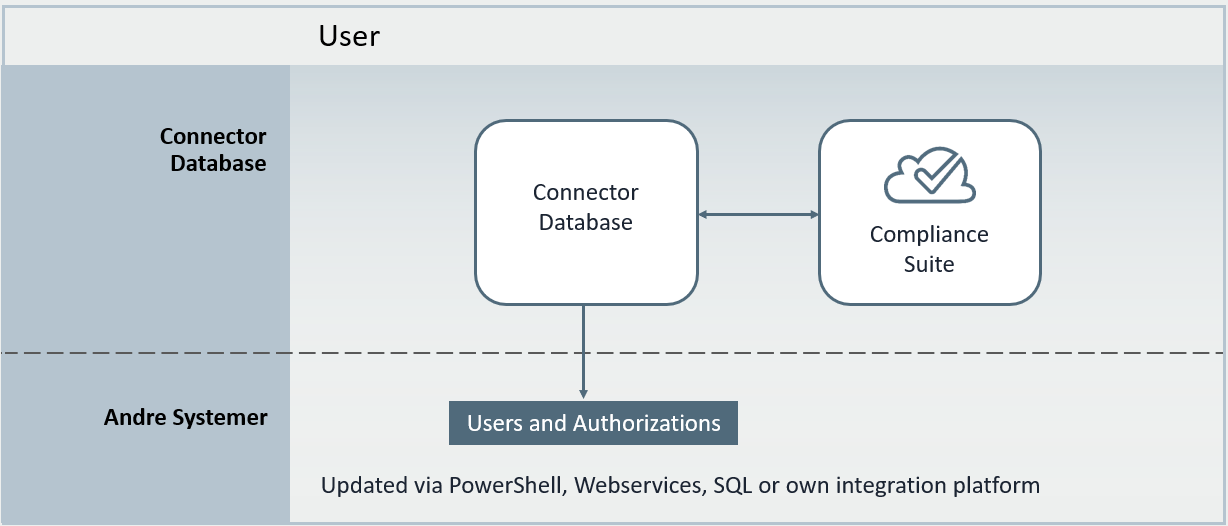
The Connector Database must be created in your organization’s Entra ID environment, after which you can create connectors to external systems yourself. Contact support department for help setting up the database.
To create a connector to an external system, you must register the system as a "User System" in Compliance Suite.
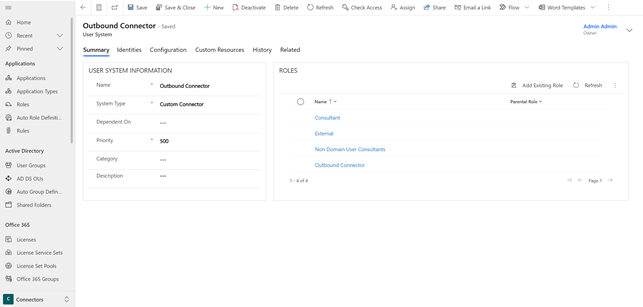
Here you can choose the type of system, prioritize the system (if the priority is below 1,000, Compliance Suite controls the master data in the system) and add roles to the system.
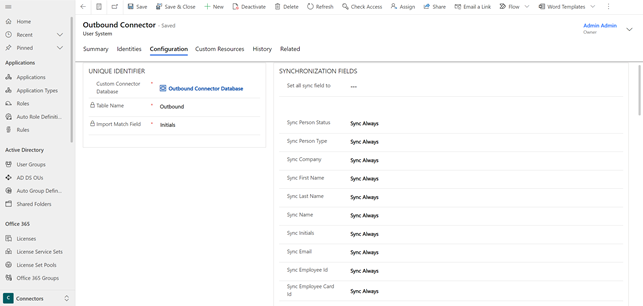
On the "Configuration" tab, you can check the synchronization for all fields between Compliance Suite and the system. Here you can choose between (1) "No Sync", (2) "Sync on Create" and (3) "Sync Always".
The Custom Connector uses the "Custom Resources" in Compliance Suite to export roles (resources) to the database and from there to the external system that the user needs to access. If a person is granted access and there is an associated Custom Resource linked to the system and role, then this Custom Resource will be created in the Connector Database (or removed if it already exists in the database).