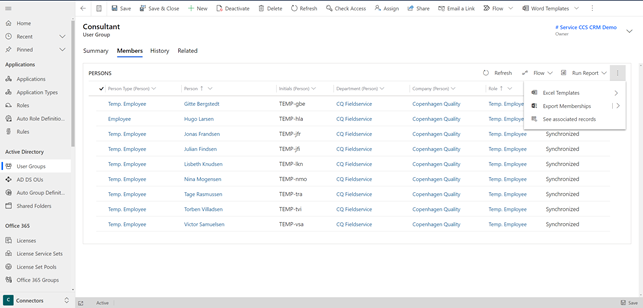
Export Lists to Excel
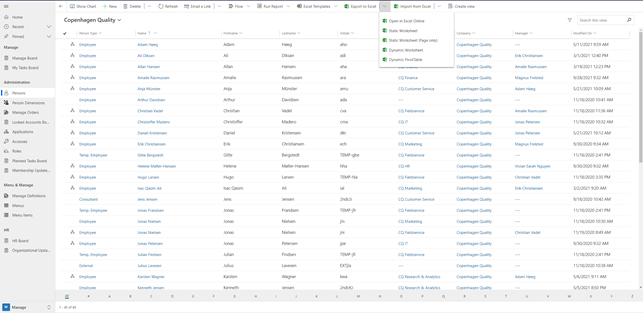
You can export lists from Compliance Suite to Excel.
You can do this, for example, by clicking the "Export to Excel" button in the menu bar when you are on the view you wish to export.
On some entities, you will find the export option on a tab. For example, on "User Groups", you will find in the sub-area "Connector".
To export a list to Excel from this type of entity, navigate to the "Members" tab and click on the three dots, after which you will get various options to export the view to Excel.