How do I remove an assigned user group from a role?
-
In Manage, click Roles.
Here, you can find a list of all roles available in the system. -
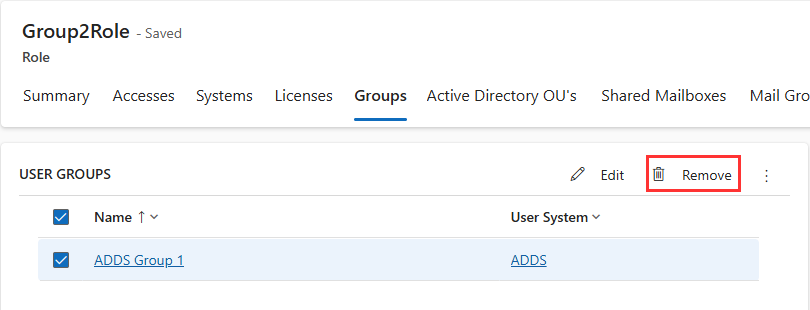
Open the respective role, e.g. Group2Role.
-
In the details of Group2Role, open tab Groups.
-
In section User Groups, select the user group you would like to remove, e.g. ADDS Group1.
-
Click Remove.