
Notes (GDPR)
The notes entered in the GDPR module are displayed here.
Under Notes, comments are added to the processes and activities; for example, a description of the state of the process or challenges to be solved in the context of a Process Activity.

Create a new note
You can create a new note either from the "Notes" tab or directly from an existing Process Activity.
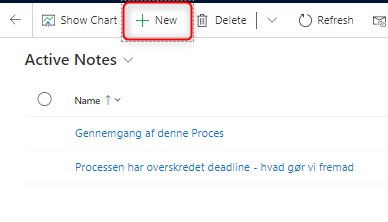
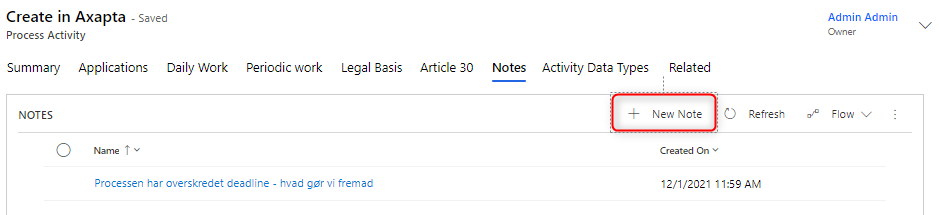
When you create a new note, the following must be filled in:
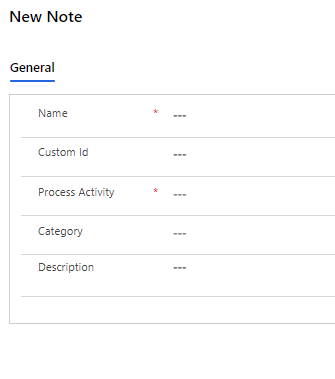
| Field Name | Type | Description |
|---|---|---|
Name |
Text |
Name your Note |
Custom ID |
Text |
Option to assign a Custom ID |
Process Activity |
Look Up |
Find the process the note is about |
Category |
Look Up |
Enter category |
Description |
Text |
Explanatory text to the note |
Press "Save" and the note is saved. Then the note can be accessed, either via "Active Notes" in the Notes tab or via the associated Process Activity.