
Set Types
Select the Organization menu to access Set Types.
You can also enter Set Types to further classify data.
Set Types can be defined in CCS for:
-
Departments
-
Divisions
-
Companies
-
Cost Centers
-
Locations
-
Job Titles
-
Positions
You define them by clicking on the specific Set Type in the menu:
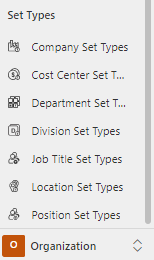
Example of Location Set Types
Click on Organization | Location Set Types to see all Active Location Set Types:
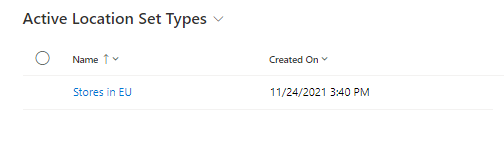
For instance, Location Set Types may include:
-
Stores in EU (i.e., a collection of stores in several countries)
-
Stores = Type
-
EU = Set
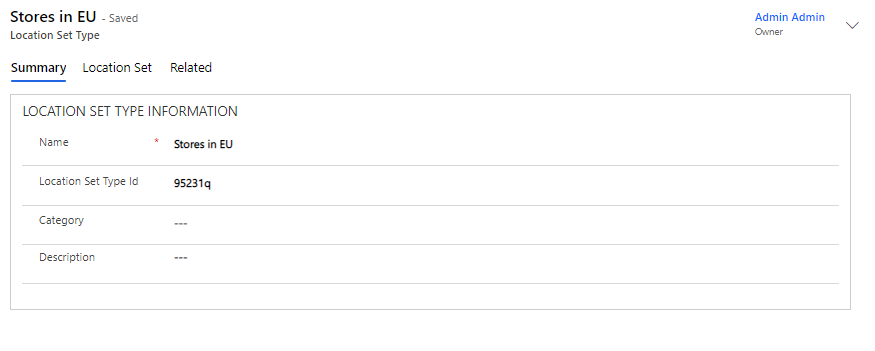
Add new Set to your Set Type
Fill in the name and click Save to add the Location Set. Under the Location Set tab, add the location sets that will be part of the new Location Set Type:
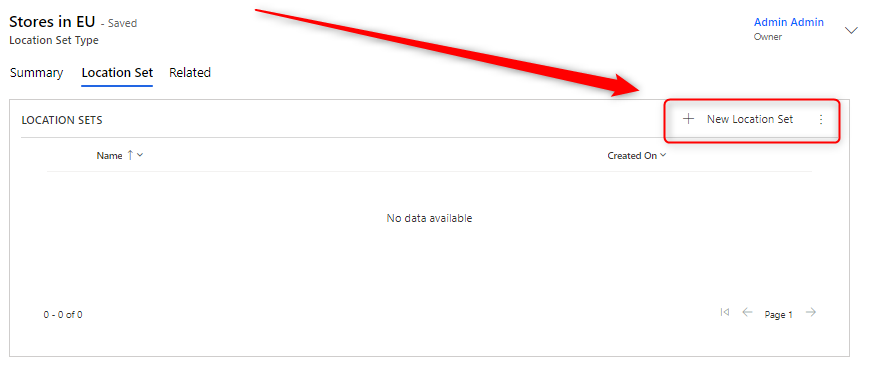
Click +Add New Location Set to add a new location set. Or click … and select Add Existing Location Set if they are already created.