Types

You can find the different types in Compliance Suite by navigating to "Types" in the "Organization" sub-area. In Compliance Suite, types are used to classify data.

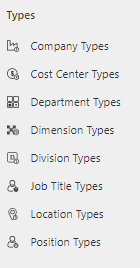
You can define types for the following entities in Compliance Suite:

  • Company

  • Cost Center

  • Department

  • Dimension

  • Division

  • Job Title

  • Location

  • Position

You define them by clicking on the specific type entity in the menu:
15644180921756

Example: Location Types

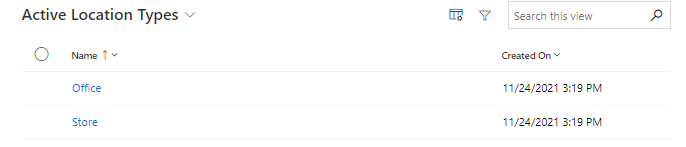
Examples of location types are "Store" and "Office". This enables locations in a given firm to be classified as either a store location or an office location.

You can get an overview of all active, created Location Types under "Organization | Location Types":

15644171952540

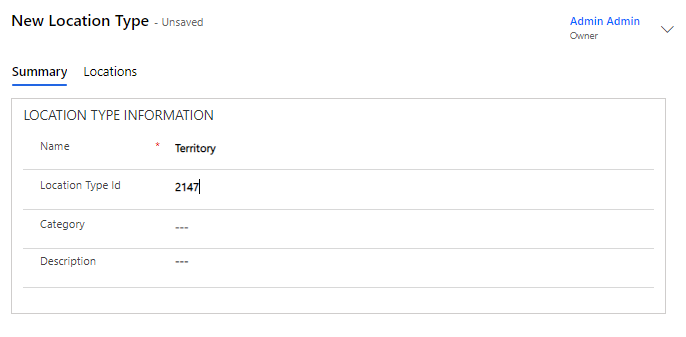
Create new Location Type

Click "+New" to create a new location type:

15644180922268

Add locations to your Location Type

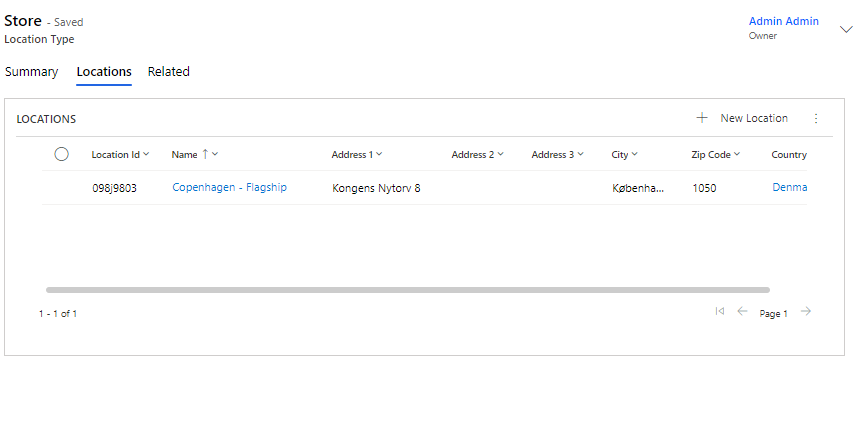
Locations can be added to a Location Type in the "Locations" tab:

15644171953948

In the example, the location type, "Store" has one location linked: Copenhagen - Flagship.

The same logic applies to the other entity types in Compliance Suite.