
Persons
Click on Manage - Persons to see the list of all active persons in Compliance Suite.
Master data on the person
A person is created by entering master data about the person, as in this example:
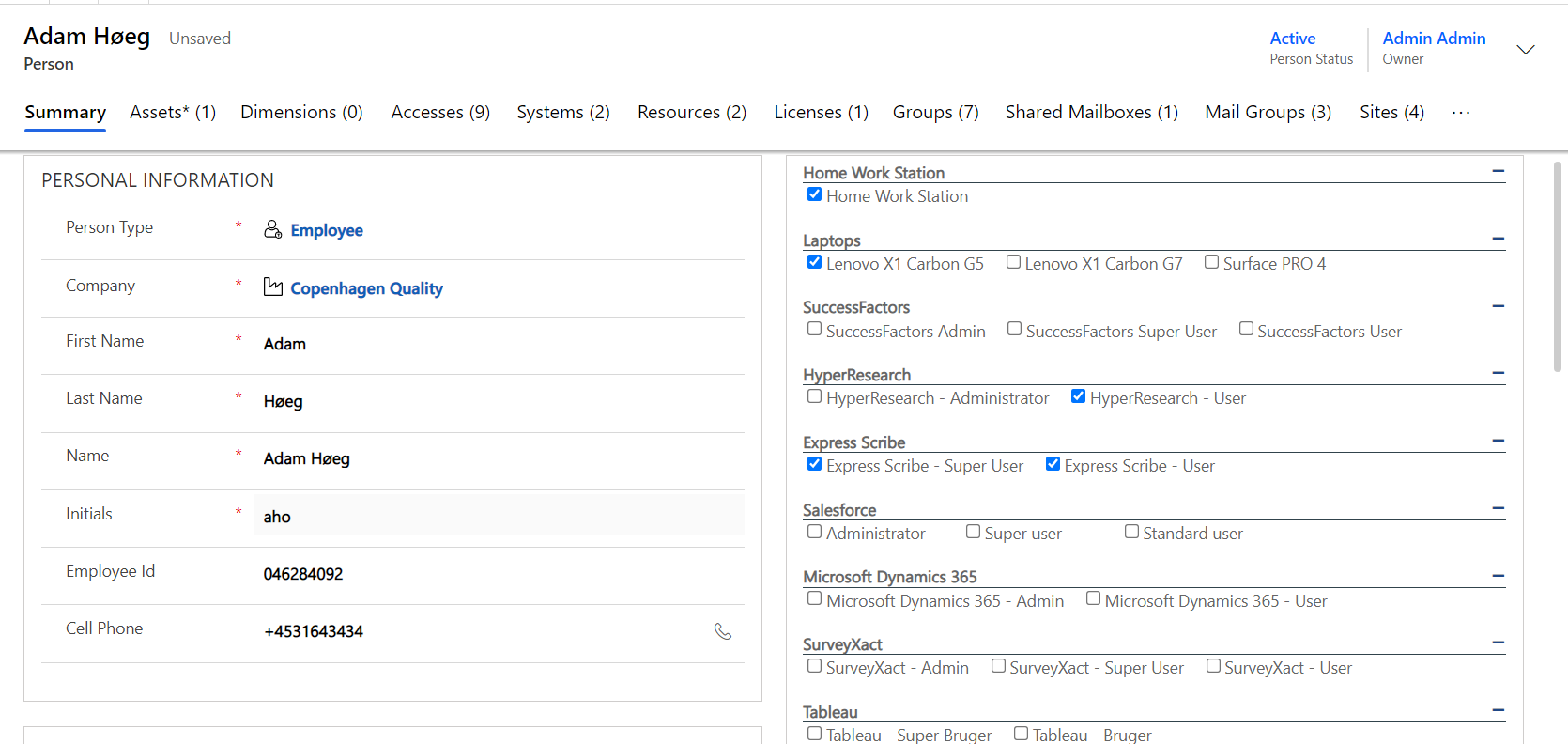
Correct master data for a person
Master data for the person can be edited by clicking on Person from the overview.
Lookup fields allow you to choose from the values already created in Compliance Suite.
If you want to add a Job Title that is not already created, you may also do so in Compliance Suite.
Create new person
Click on "+New" to create a new person:
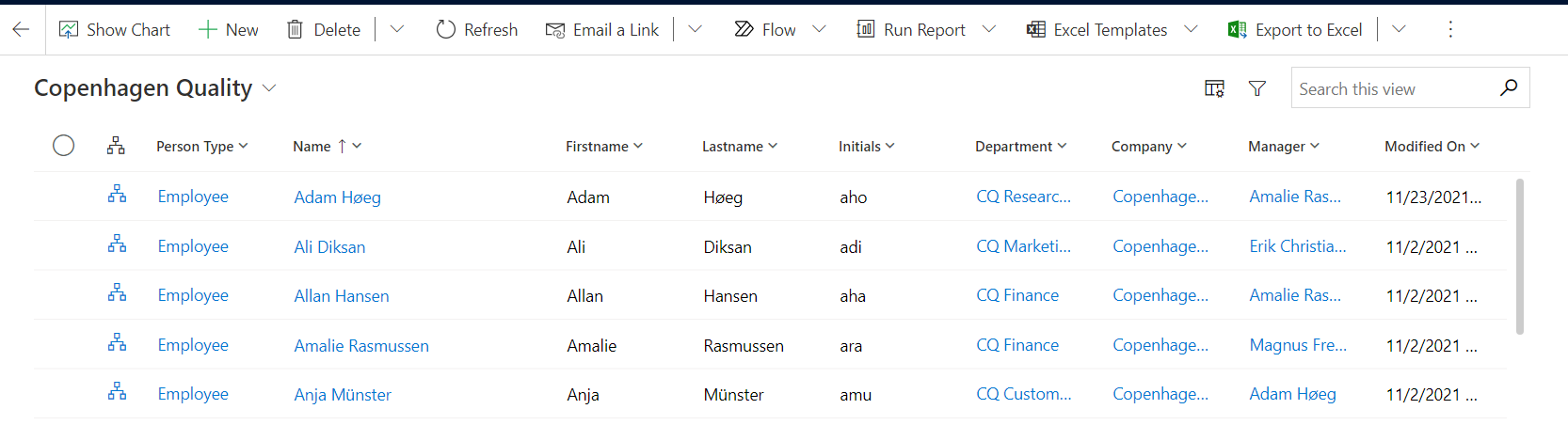
Select Person Type. Next, the fields to be filled in for the given person type will appear, e.g.:
Personal Information fields
| Field Name | Type | Description |
|---|---|---|
Company |
Look Up |
The Company that is employing the person. |
First name |
Text |
First name of the person. |
Last name |
Text |
Last name of the person. |
Name |
Locked |
Is automatically created by combining the first and last names. |
Initials |
Look Up |
Initials for the person. Alternate initials can be applied as long as they are within the predetermined guidelines and do not interfere with the blacklist or the initials are already taken. You cannot alter initials when a person is created. |
Phone |
Text |
Phone number |
Cell Phone |
Text |
Mobile phone number |
Persontype |
Look Up |
Person type. Referring to the Person type that decides your affiliations to the company (Employee, External Auditor, etc.) |
Additional fields that may be filled in on a person:
Organizational Information fields
| Field Name | Type | Description |
|---|---|---|
Position |
Look Up |
Position can be used as an alternative or supplement for a Job Title. |
Job Title |
Look Up |
The person Job Title |
Department |
Look Up |
The person Department. if the department has a Location, Manager, and/or Company attached these will be transferred to the person as well |
Cost Center |
Look Up |
Choose Cost Center. |
Division |
Look Up |
Choose Division. |
Manager |
Look Up |
Person’s direct manager. |
Secondary Manager |
Look Up |
Person’s secondary manager. |
Other Information fields:
| Field Name | Type | Description |
|---|---|---|
Leave Return Date |
Date |
Apply Leave Return Date. |
Activate On |
Date |
Apply date for activation. |
Deactivate On |
Date |
Apply date for deactivation. |
Private information fields:
| Field Name | Type | Description |
|---|---|---|
Private Phone |
Text |
Persons private phone number. |
Private Mobile Phone |
Text |
Persons private mobile phone number. |
Private Address |
Text |
Persons private address. |
Private Zip Code |
Text |
Persons private zip code. |
Private Zip |
Text |
Persons private city. |
Menu
The menu area provides suggestions for additional accesses based on the dynamic fields in Compliance Suite.
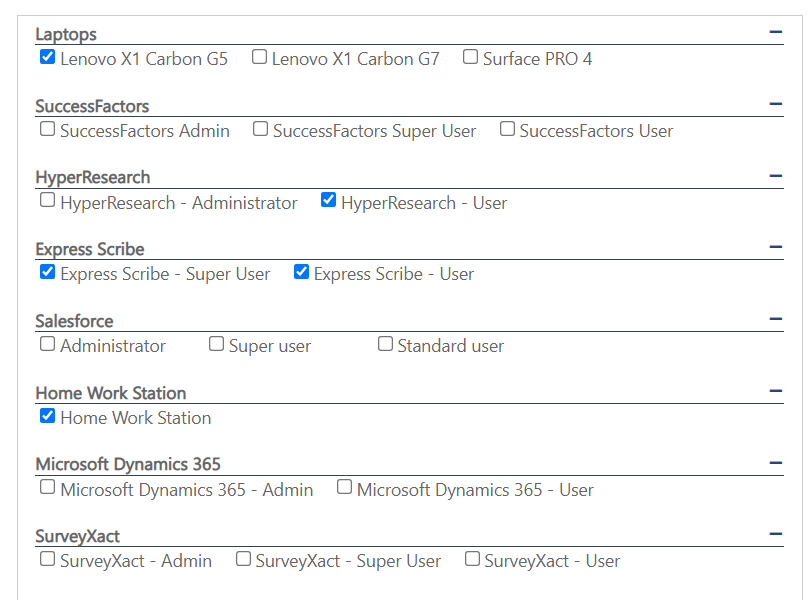
| If you reopen the person after using the option Save & Close, the menu area remains disabled during the saving process. |
Learn more in the article Menus.