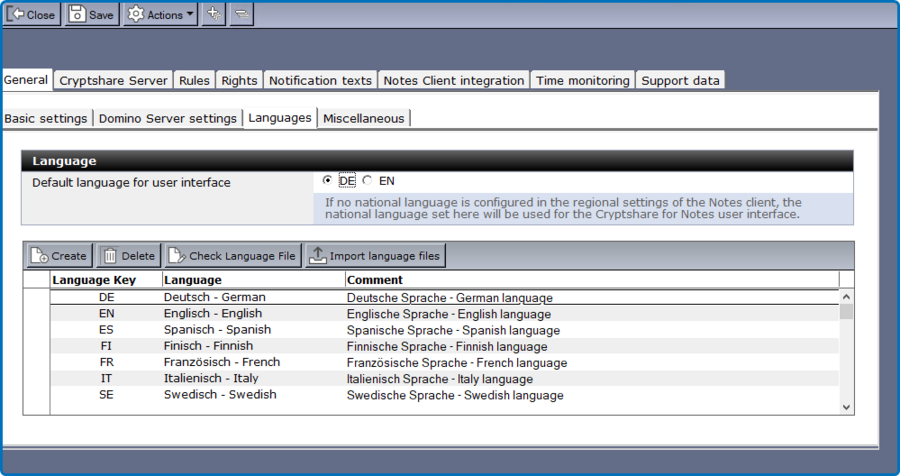
Sub-tab "Languages"
This tab is used to define language information for user frontend elements (such as email form, Widget, status document, system-info). You can set any number of languages. The language preference of the user’s Notes Client is used to determine the display language of CS4N. If no language preference is set, the configured default dialogue language is used (by default: English). The database setup as well as the complete application navigation is bi-lingual (English and German). Double-click on one of the language documents to edit it. Please make sure not to change any labels when you modify any of the language documents. It is important to use the correct language key according to ISO 639-1.
| Label | Comment |
|---|---|
Default Language for User Interface |
If there is no content language preference set in the Notes Client, Cryptshare will use the default language set here. |
Button "Create" |
Create a new language document |
Button "Delete" |
Deletes the selected language document |
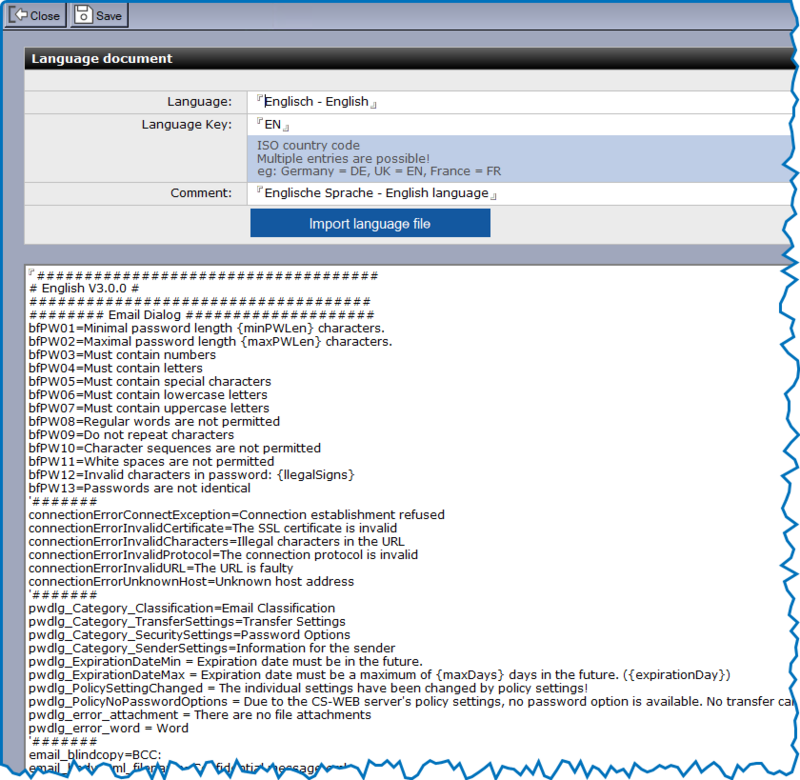
| Label | Comment |
|---|---|
Language |
Display name of the language. |
Language Key |
ISO Key for this language (multiple entries are possible). |
Comment |
Field for comments. |
Button "Import Language File" |
Upload language files from the file system into Cryptshare for Notes. |
Body Field |
Contains the language resources for the selected language. The labels should not be changed. The editable text can be found behind the equals sign "=". |