
Connection settings to the Pointsharp ID
The Pointsharp Access Gateway is using the Pointsharp ID to perform authentication and authorization when required by the configuration. The Pointsharp ID is providing its features through a web API. The configuration provided here should correspond to where the Pointsharp ID is located and its required authentication data (if any).
-
Open the Access Gateway Admin GUI.
-
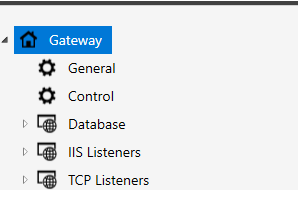
On the left hand side, right-click General.
-
Go to Pointsharp ID Settings.
| Property | Description |
|---|---|
URL |
The URL of the Pointsharp ID machine to connect to. Example: http://localhost/ |
Server Farm |
Select Server Farm for Pointsharp ID. Check the Server Farm configuration. |
User Domain |
If required, set the domain name of the user to authenticate with. |
Username |
If required, set the username of the user to authenticate with. |
Password |
If required, set the password of the user to authenticate with. |
Client Certificate |
If required, set the client certificate of the user to authenticate with. |