
Manage Definitions
Under "Manage Definitions" you can create the buttons that appear on the Manage Board.
Active Manage Order Definitions
Here, you can see all the active action options on the Manage Board:
image::15646026392220.png[]Menu items
Under "Manage Orders" or via "Manage Board", you can order person creations or updates.
Under "Manage Order Definitions" you can create the types of Manage Orders you want to be able to order in Compliance Suite.
The definitions that are created will be visible on the Manage Board:
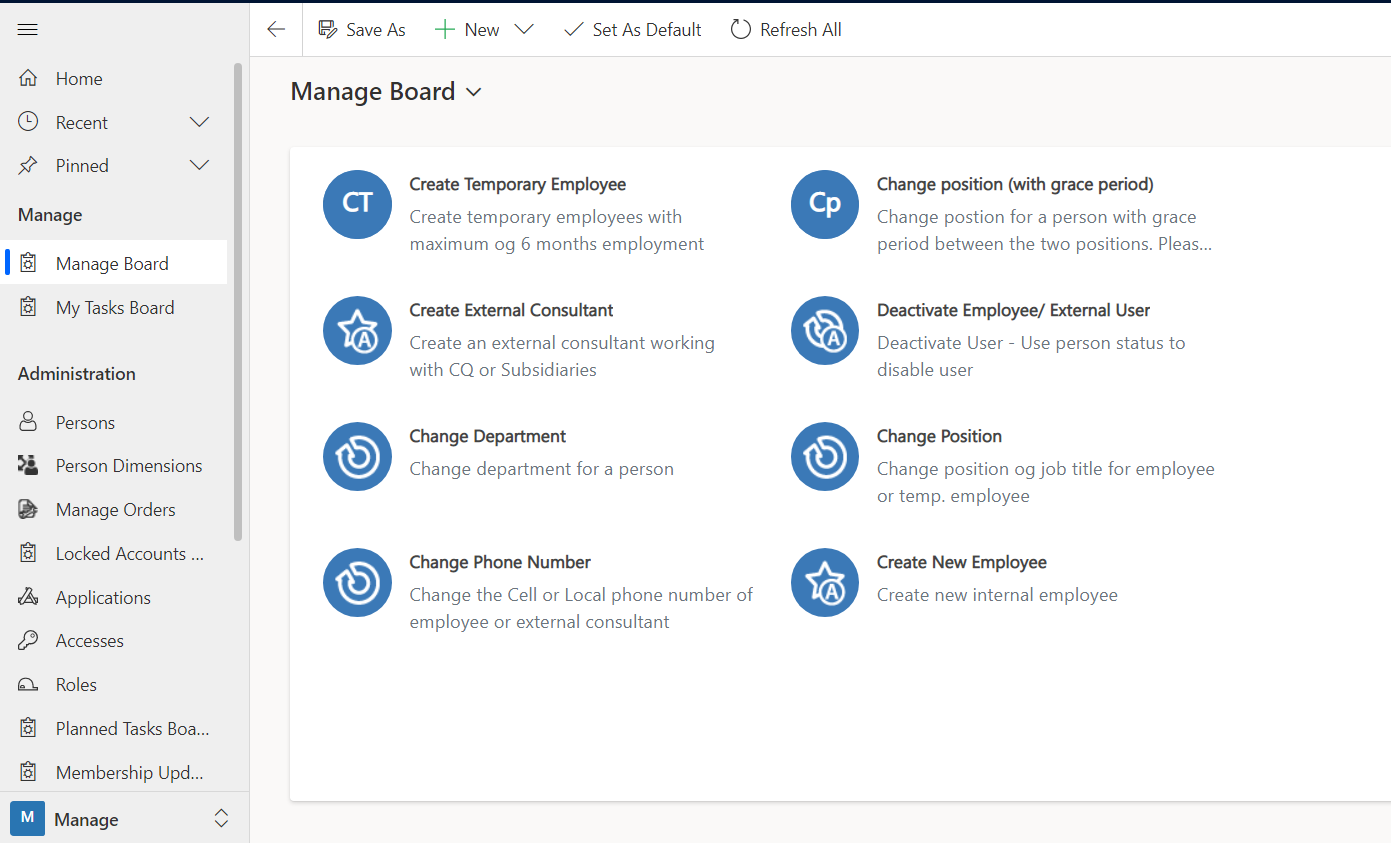
From the Manage Board, you can initiate creations and keep track of your own tasks related to access authentication and deployment.
Create a Person Order Definition
To create new action options on the Manage Board, a new Person Order Definition must be created.
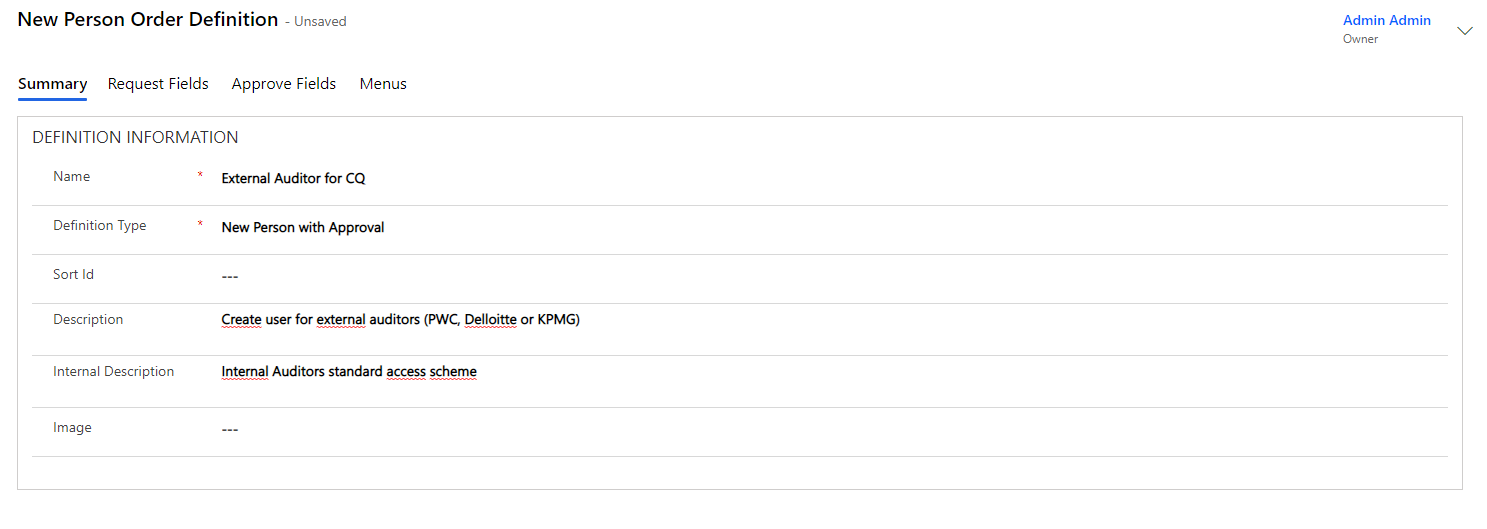
Click on "+New" and then select the definition to be used and fill in the remaining data on the "Summary" tab.
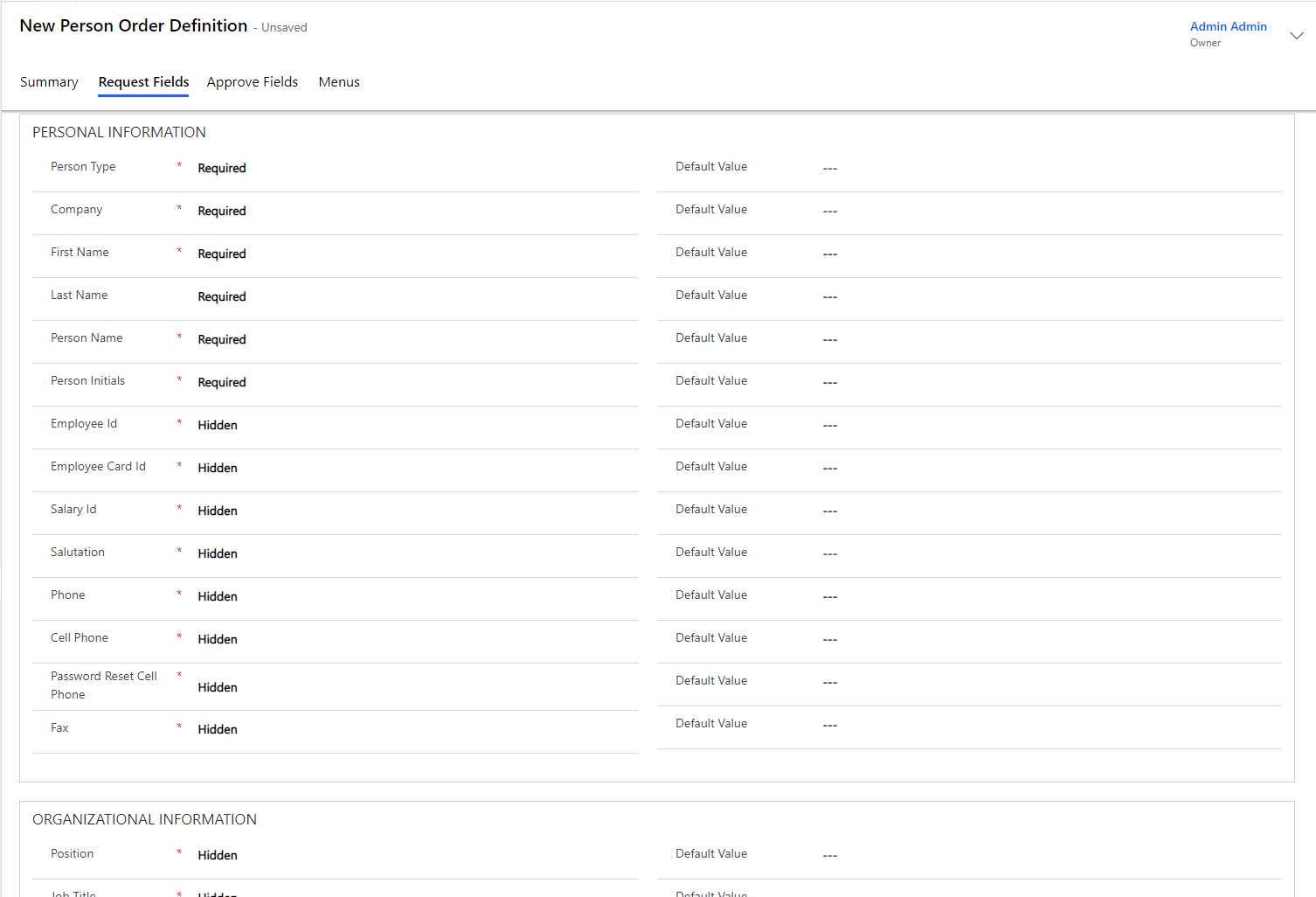
The "Request Fields" tab is used to fill in which data fields should be visible, which should be filled in and which are optional for the person requesting creation or modification for the person on this specific Person Order:
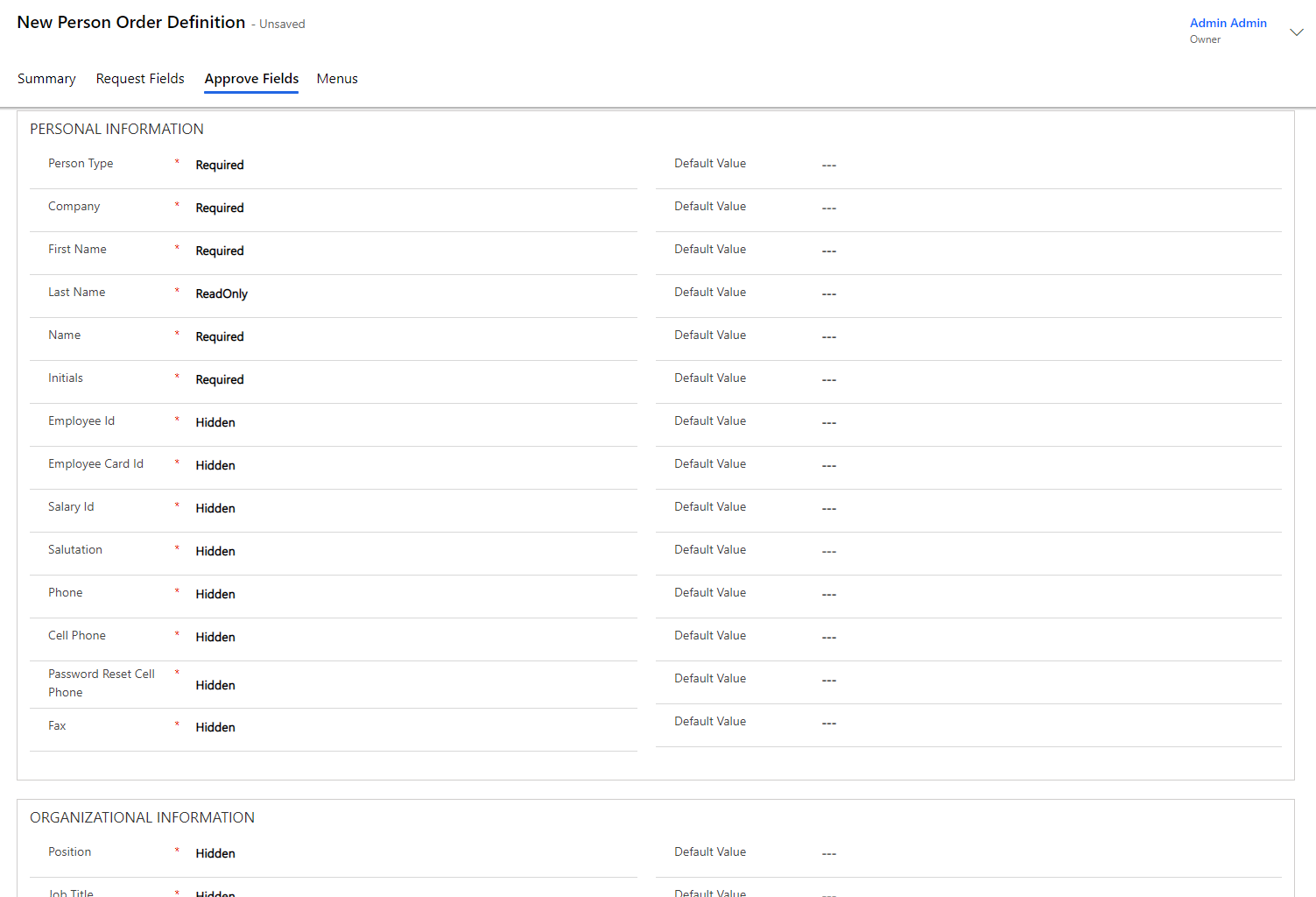
The "Approve Fields" tab is used to fill in which data fields should be visible, which should be filled in, which should be read-only, and which are optional for the person approving a creation or modification to the person on that specific Person Order:
Then press "Save" and your Person Order Definition is created.
Once saved, it will be possible to add the menus to be displayed during the creation or the modification of the user. To do so, look under the "Menus" tab.