
Locations
Here, you enter all the Locations you wish to have in Compliance Suite.
When you select a location for a person, the data for the location is transferred to the person in the connected systems.
Locations have a default language, which is transferred to a newly created person.
Click on"Organization | Locations" to see all Active Locations in the system:
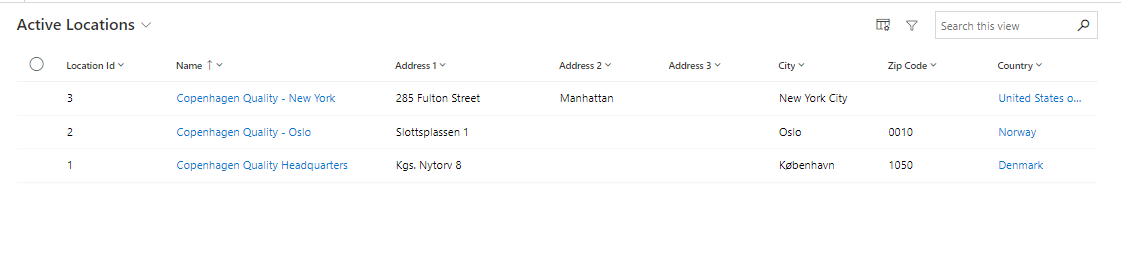
How to create a new Location
Click on "+New" in the menu bar to create a new location:
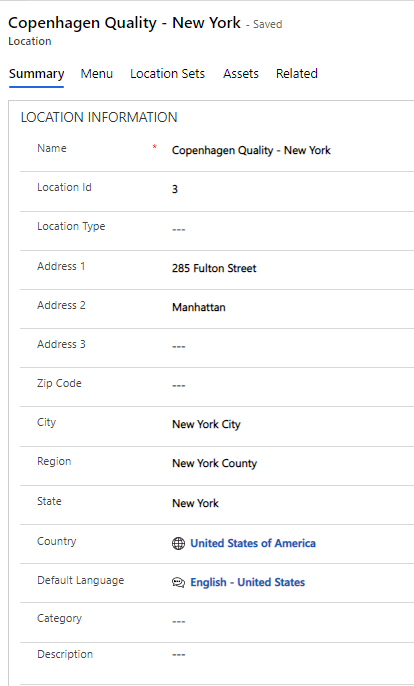
Fields to be filled in:
| Field Name | Type | Description |
|---|---|---|
Name |
Text |
Enter the name of the new location. |
Location ID |
Text |
Enter ID of the new location. |
Location Type |
Look-up |
Select a type from the Type list. |
Address 1 |
Text |
Enter address at location. |
Address 2 |
Text |
Enter address 2 at location. |
Address 3 |
Text |
Enter address 3 at location. |
Zip Code |
Text |
Enter Zip Code at location. |
City |
Text |
Enter City at location. |
Region |
Text |
Enter Region at location. |
State |
Text |
Enter State at location. |
Country |
Text |
Enter Country at location. |
Default Language |
Look-up |
Enter Default Language at location. |
Category |
Look-up |
Enter Catagory at location. |
Description |
Text |
Enter a longer description. |
Add Menu to your Location
In the "Menu" tab, you can add existing menus to the location. This may be relevant if there is a need to quickly order access to a specific system or application for the persons linked to the given location. To add menus, click on "Add Existing Menu".
You can learn more about menus in Compliance Suite in this article.
Add Location Set
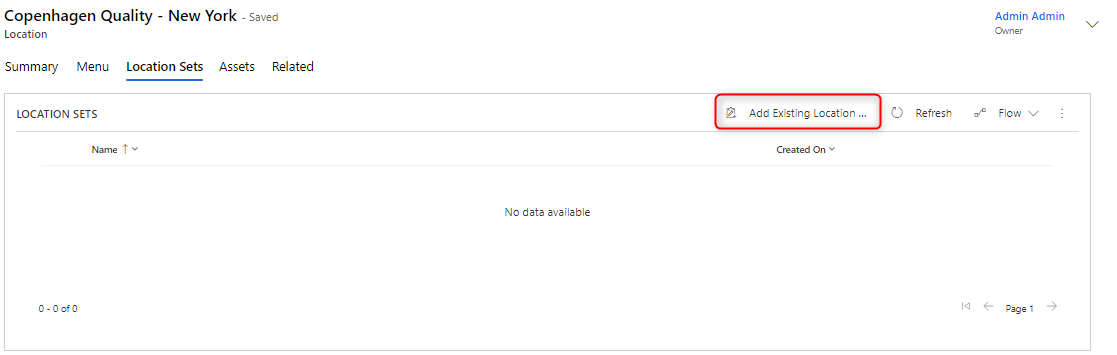
Add Location Sets to your new Location in the "Location Sets" tab and then on the "Add Existing Location Set" tab:
You can learn more about Sets in Compliance Suite in this article.
Add Assets to a Location
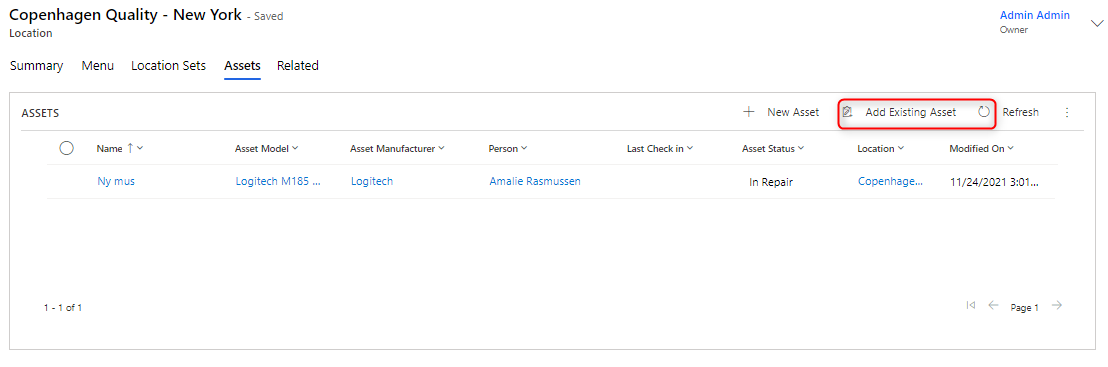
It is possible to add Assets to a Location. This is most often done to keep track of the physical location of the organization’s assets. You can add both existing and new Assets to a Location by clicking on "Add Existing Asset" and "+New Asset", respectively.
Learn more about Assets in Compliance Suite in this article.