
Subdepartments
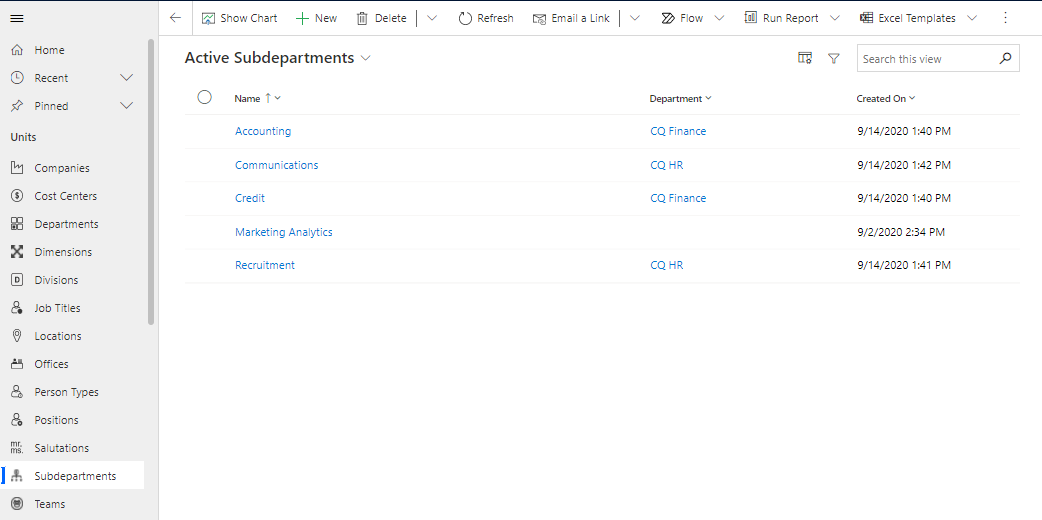
You will find "Subdepartments" under the heading "Units" in the "Organization" sub-area in Compliance Suite. You can use "Subdepartments" to further granularize the management of the organizational hierarchy in Compliance Suite and link sub-departments to parent departments "Departments".
You can get an overview of all active Subdepartments under "Active Subdepartments":
Create a Subdepartment
To create a new Subdepartment, click on the "+New" button in the menu bar.
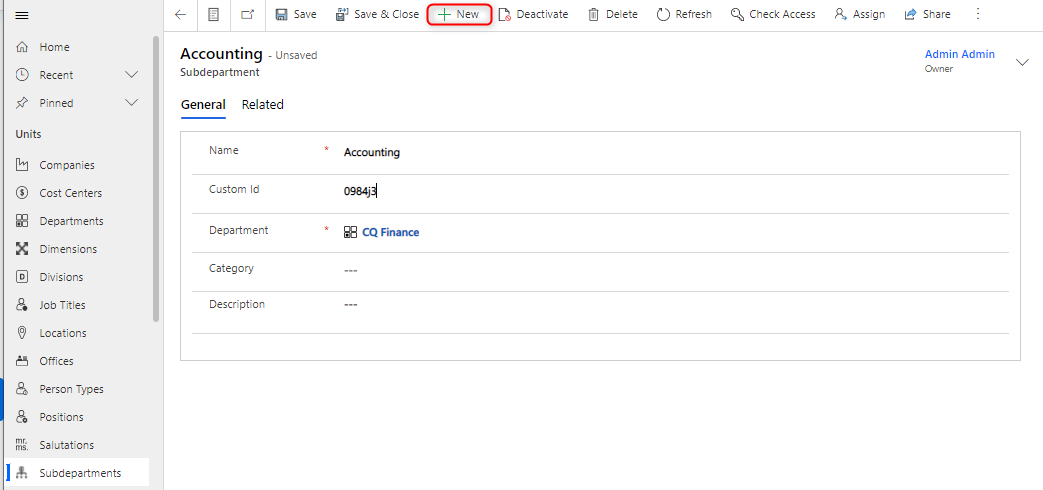
| Field Name | Type | Description |
|---|---|---|
Name |
Text |
Enter the name of the new Subdepartment |
Custom ID |
Text |
Enter ID of the new Subdepartment |
Department |
Look-up |
Enter Department of the new Subdepartment |
Category |
Look-up |
Select any category for the new Subdepartment |
Description |
Text |
Enter a longer description of the new Subdepartment |
Link a person to a Subdepartment
To link a person to a Subdepartment, one method is to press "Related" in the menu bar and press, "Persons".
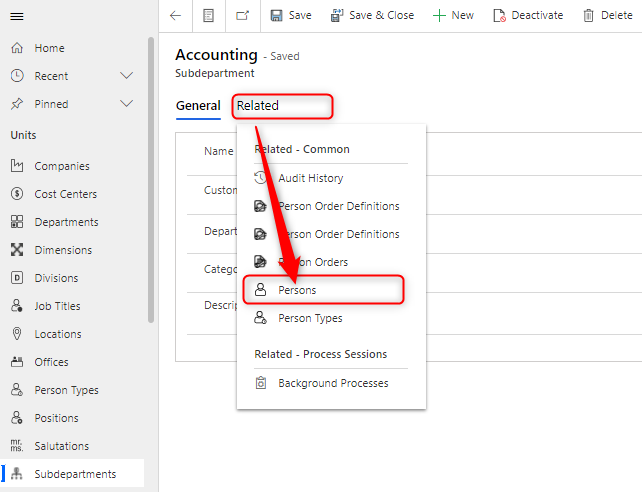
Here, you can add people directly to the specific Subdepartment.
Alternatively, it should be done from the person card, either by adding the sub-department to an existing person or when creating a new person.
Note: On the person card, Subdepartments must be made available as a field to appear. You can do this on the specific person type.