
Extend device access time
The Extend path is used to extend device access time.
Extend Path: ../Gateway/www/PublicResources/Portal/extend/index.html
Add Extend Path manually
Extend Path can be manually added by creating an /extend path rule in a Listener rule.
-
Start Listener configuration wizard.
-
Select App Portal.
-
Create new Listener or choose an existing Listener.
-
Select Extend - Restore Timed Devices.
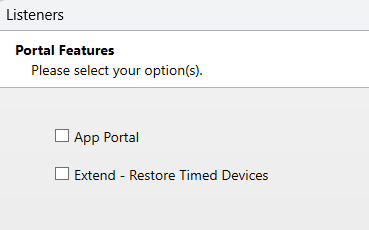
-
Add Forms module. Forms module should use a Pointsharp ID authentication method which can extend access time.
-
Click Next.
-
Add Portal module. Portal module can use default configuration (no configuration needed).
| An authentication method has to be configured on the Pointsharp ID. It is also critical that the configuration under "Pointsharp ID Settings" for the Gateway pints to the Pointsharp ID, to achieve the intended behaviour. |