
Settings menu
Cryptshare needs some information for operation. If these have not already been specified by the administrator during the installation, a Settings wizard will appear and guide you through the necessary steps.
The settings wizard only appears when configuring Cryptshare for Outlook (Classic) for the first time. However, you can change the settings at any time in the settings dialog:
-
Open Outlook (Classic). You can access the settings dialog from the ribbon tab Cryptshare in the main Outlook window.
-
Click Settings to open the settings dialog.
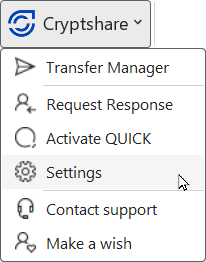
The Settings menu consists of: