
Companies
Here, you enter all the "Companies" you wish to have in Compliance Suite. This includes the companies you want to be able to select for persons created in Compliance Suite. Companies are assigned to persons and transferred to the connected systems. == See all Companies
Click on "Organization | Companies" to see an overview of all Active Companies:
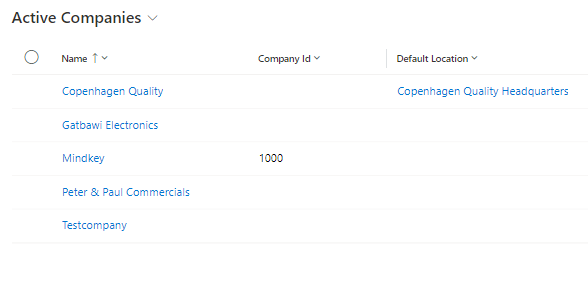
If you wish to edit an existing company, just click on the company name. == Create new Company
Click on "New" in the menu bar to create a new Asset.
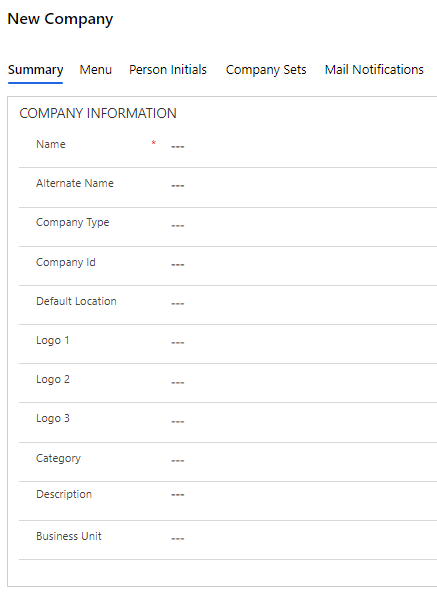
| Field Name | Type | Description |
|---|---|---|
Name |
Text |
Enter the name of the new company. |
Alternate Name |
Text |
If necessary, enter another name for the new company - e.g. an abbreviation. |
Company Type |
Look-up |
Select a type in the field. |
Company Id |
Text |
Enter any ID number for the company. |
Default Location |
Look-up |
Select the company’s Default Location. This value is set on a person when you select the company on the personal card. |
Logo1 |
Look-up |
Logo that can be displayed in connection with the company. |
Logo2 |
Look-up |
Logo that can be displayed in connection with the company. |
Logo3 |
Look-up |
Logo that can be displayed in connection with the company. |
Category |
Look-up |
Select a possible category for the company. |
Description |
Text |
Enter a description for the new company. |
Business Unit |
Look-up |
Select the Business Unit to which the company belongs. |
Menu
In the "Menu" tab, you can define which menus should appear on the person card of the persons linked to the given company. This allows quick assignment of the accesses typical for the specific company. To add menus to the company, click on "Add Existing Menu".
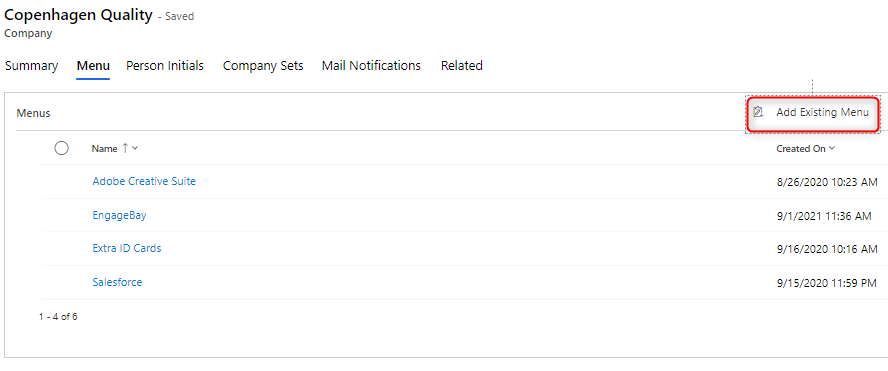
You can learn more about menus in Compliance Suite in this article.
Person Initials
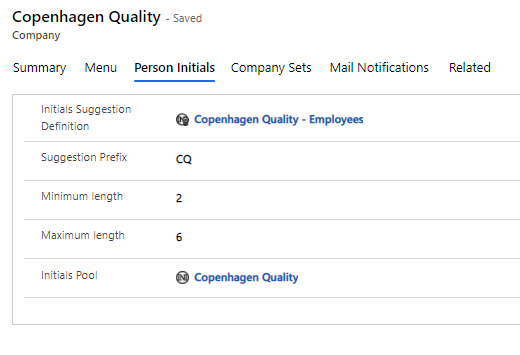
If you want a person in a given company to have special initials, you can set this up via the "Person Initials" tab. For example, if a person is assigned to the company Copenhagen Quality, the Person Initials below will apply:
| Field Name | Type | Description |
|---|---|---|
Suggestion Prefix |
Text |
Prefix to the initials. For example, CQ. |
Minimum length |
Numeric |
The minimum length of the initials. For example 2. |
Maximum length |
Numeric |
Maximum length of the initials. For example 6. |
Initials Pool |
Look-up |
If necessary, select the initial pool. |
| Prefix counts in addition to minimum and maximum lengths. In the above example, the initials will consist of two characters for the prefix and a minimum of four for initials. |
Initial pools are used to avoid any overlaps with initials where prefixes prevent this happening anyway.
-
When you create a new person, initial proposals will be displayed according to the rules set up for the company you select.
-
Moving an existing person to a company with a defined initial prefix does not change the existing person.
You can learn more about initial pools in this article.
Company Sets
Company Sets can only be added when the new company is saved. Click on "Add Existing Company Set" to add a Company Set to your new company:
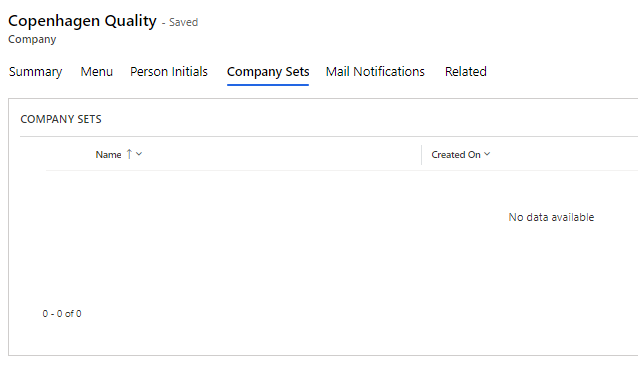
You can learn more about Sets in Compliance Suite and their function in this article.
Mail Notifications
In the "Mail Notifications" tab, you can link the mail notification templates relevant to the specific company. When you create a Mail Notification Template, you can filter it by company. The notifications filtered for the company you work with will automatically appear on this tab.
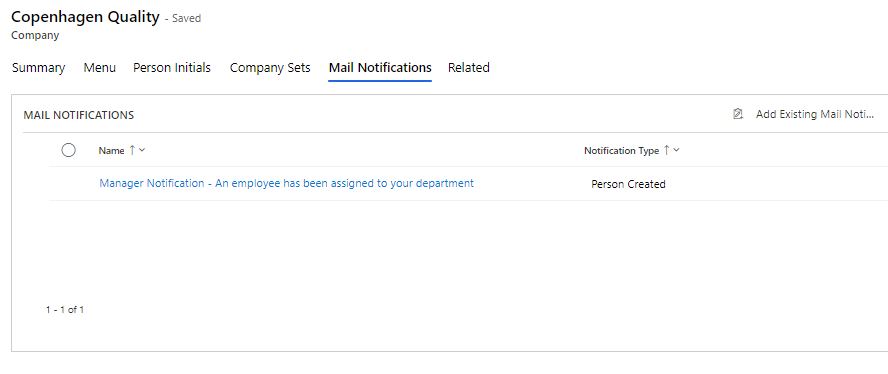
You can learn more about e-mail notifications in this article.